AI Widget desktop workspace
The Kepo AI Widget plugin lets you turn repeatable text workflows into prompt-configured desktop widgets.

Many AI tasks are not one-off chats. They are repeated text workflows with the same role, constraints, and output format.
Instead of rewriting the same instruction every time, AI Widget lets you configure the prompt once and reuse it from Kepo.
It is designed for text input and text output, not external actions or file operations.
AI Widget is strongest when the prompt defines a clear repeatable job.
Use the AI Widget desktop workspace plugin
AI Widget is strongest when the prompt defines a clear repeatable job.
Key solutions at a glance The main decisions from this guide, condensed into one table.
What widgets are included in AI Widget
workspace
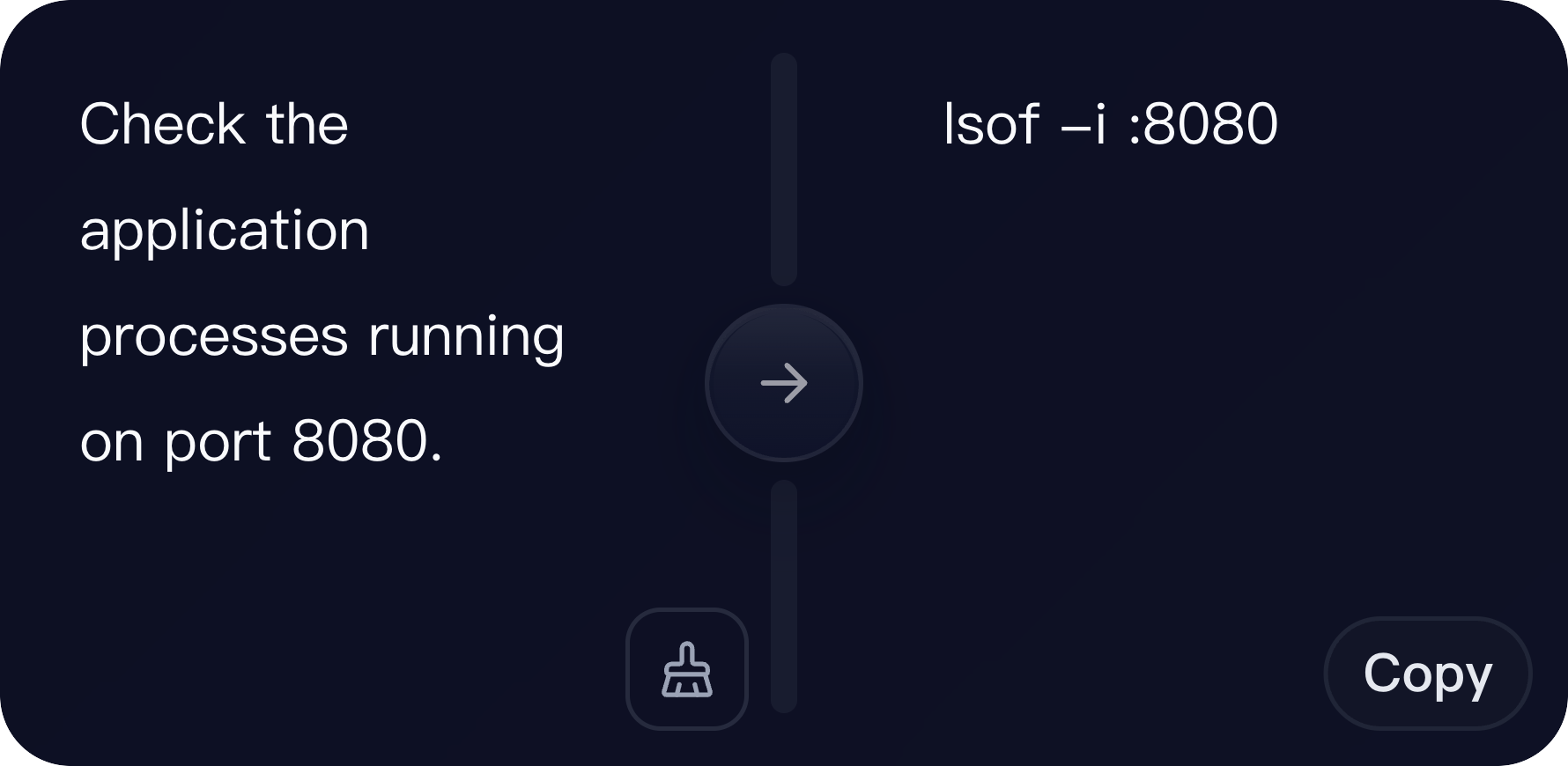
Configurable AI workspace for single-input text tasks. Use the system prompt to define the role, task, output format, constraints and response boundaries.
chat
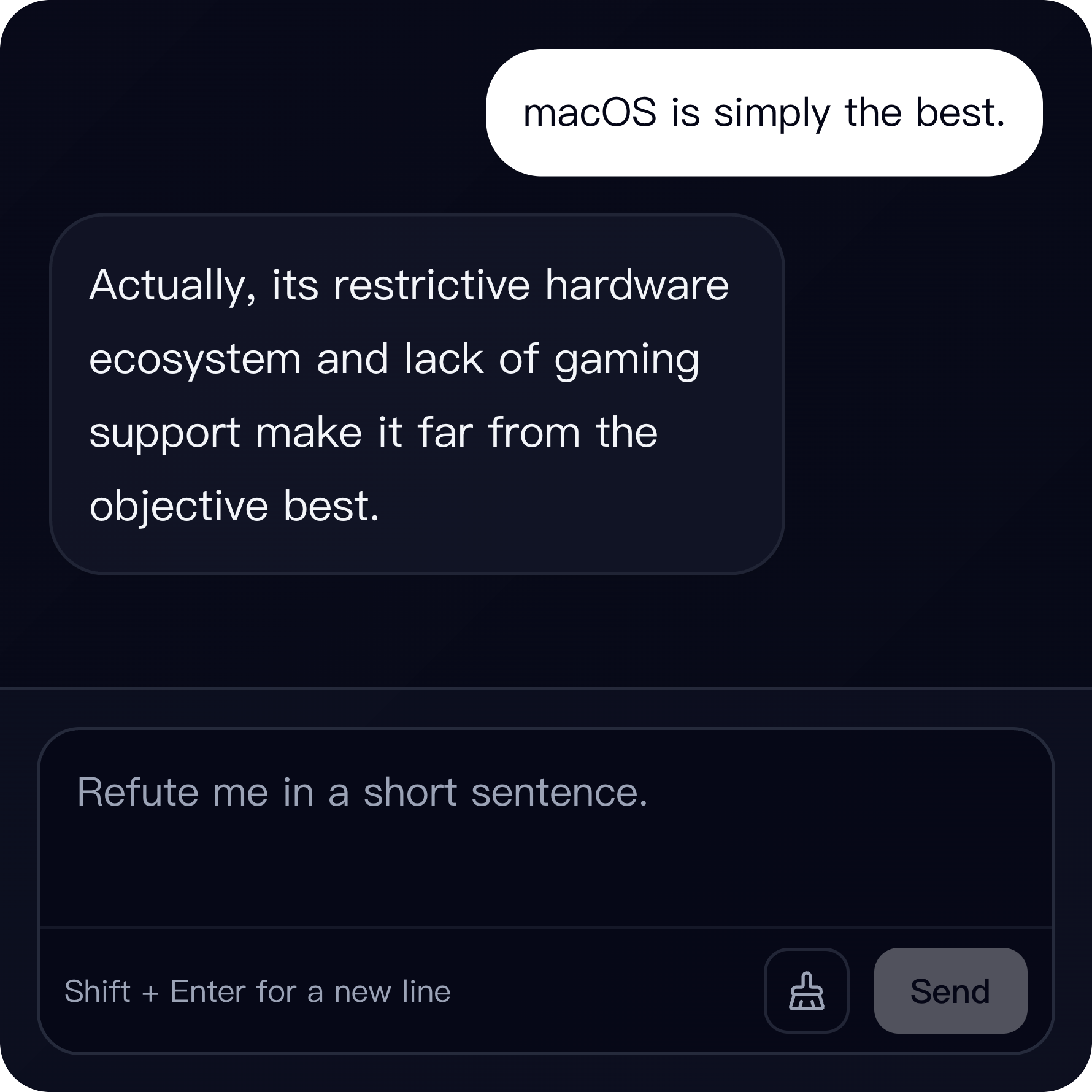
Configurable AI chat for multi-turn text tasks. Use the system prompt to define assistant behavior, conversation style, constraints and response boundaries.
Who needs an AI text widget
Writers, operators, support teams, and builders can use it for repeatable text processing.
It is useful when you know the task shape and want a dedicated surface for it.
Workspace and chat modes
Workspace is best for one input and one output. It supports split-view editing or single-pane replacement.
Chat is better for multi-turn text tasks that need follow-up or iteration.
The system prompt is the product
The configured system prompt defines role, task, output format, constraints, and response boundaries.
The plugin does not execute external systems, operate files, control websites, or call tools for you.
AI Widget desktop workspace FAQ
Can I create a custom AI text widget?
Yes. AI Widget lets you define a system prompt and reuse it as a Kepo workspace or chat widget.
What is the difference between workspace and chat?
Workspace is best for single-input tasks. Chat is better for multi-turn tasks that need follow-up.
Can AI Widget operate files or websites?
No. It is for text input and text output only.
Related Mac Desktop Widgets Resources
Explore more Mac desktop widgets and curated guides to run alongside this widget in Kepo:
Use AI Widget for repeatable text work.
Use full chat or custom automation when the task needs tools, files, or external actions.
Stay informed with Kepo on your desktop
Embed interactive widgets, monitor dynamic sites, track APIs, and run ambient AI agents right on your macOS desktop.
Related Articles
View all posts →GitHub widgets for developers
The Kepo GitHub plugin turns common GitHub checks into focused desktop widgets for builders who need to stay aware without living in browser tabs.
Developer Tools desktop widgets
The Kepo Developer Tools plugin turns small developer checks into desktop widgets so JSON, JWTs, regex tests, hashes, timestamps, cron schedules, colors, diffs, and UUIDs stay one glance away.
Google Search Console desktop widget
The Kepo Google Search Console plugin turns repeated SEO checks into a small desktop view for the sites you watch every day.
X desktop widgets
The Kepo X plugin turns repeated Twitter checks into focused desktop widgets for social listening and daily account monitoring.