Best RSS readers for Mac: reader apps vs desktop RSS ticker widgets
The best RSS setup for Mac depends on whether you want to read many feeds or keep a few work signals visible on your desktop.

The best RSS reader for Mac is not always the app with the longest feature list. It depends on the job you are hiring RSS to do.
If you follow many sites and want to read, save, search, and organize articles, you need a full RSS reader. If you repeatedly check a few feeds during the workday, a desktop RSS widget in Kepo may be the better surface.
Use an RSS reader for reading sessions. Use desktop RSS widgets for repeated awareness checks.
Create it with Kepo AI
Use an RSS reader for reading sessions. Use desktop RSS widgets for repeated awareness checks.
Key solutions at a glance The main decisions from this guide, condensed into one table.
Best RSS readers for Mac when you need a reading inbox
NetNewsWire is the best starting point if you want a free, native Mac RSS reader. It is fast, open source, and built around a familiar feed list, article list, and reading view.
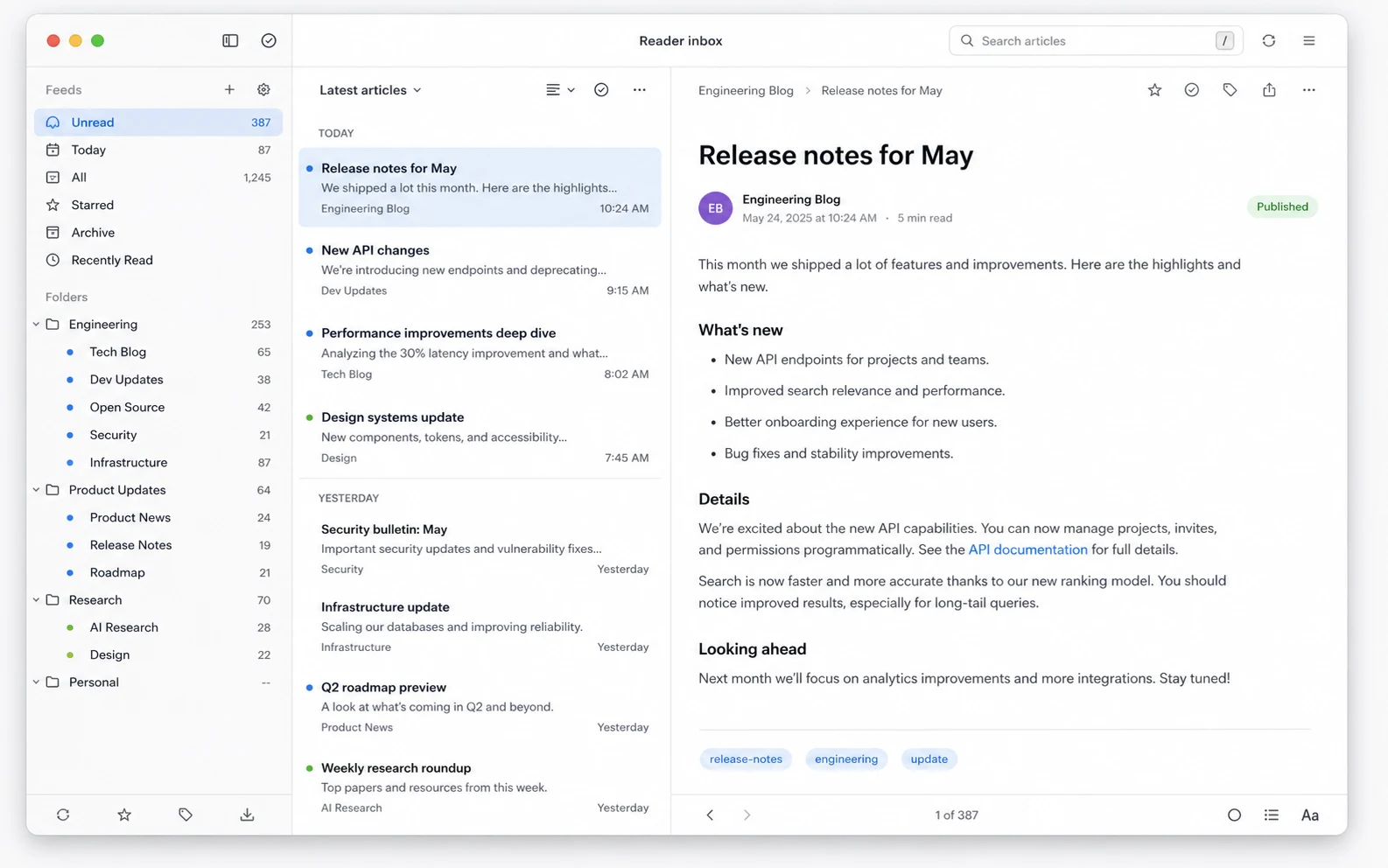
Reeder is the cleaner choice if you want a polished timeline-style reading app. ReadKit is useful when RSS and read-later services need to live in one place. News Explorer is strong for Apple users who want iCloud sync and a broader set of feed types.
Feedly and Inoreader make more sense when you want a cloud service instead of only a Mac app. They are better for cross-device reading, rules, saved sources, newsletters, and larger feed libraries.
Where full RSS readers are stronger
A full RSS reader is better when the feed list itself is the product. You can subscribe to many sites, group them into folders, keep unread state, search your library, import OPML files, and settle into a real reading session.
Choose this path if you regularly read dozens of sources, save articles for later, need full-text reading, or want one central archive for blogs, newsletters, product updates, and news sites.
Where desktop RSS widgets are stronger
Desktop RSS widgets are stronger when RSS is not a reading queue, but a signal. A company changelog, engineering blog, incident feed, competitor blog, launch feed, or research source may not need a full inbox. It just needs to stay visible.
In Kepo, an RSS widget sits on your desktop and answers one question: did this feed publish something new that is worth opening? If yes, open the source. If not, keep working.
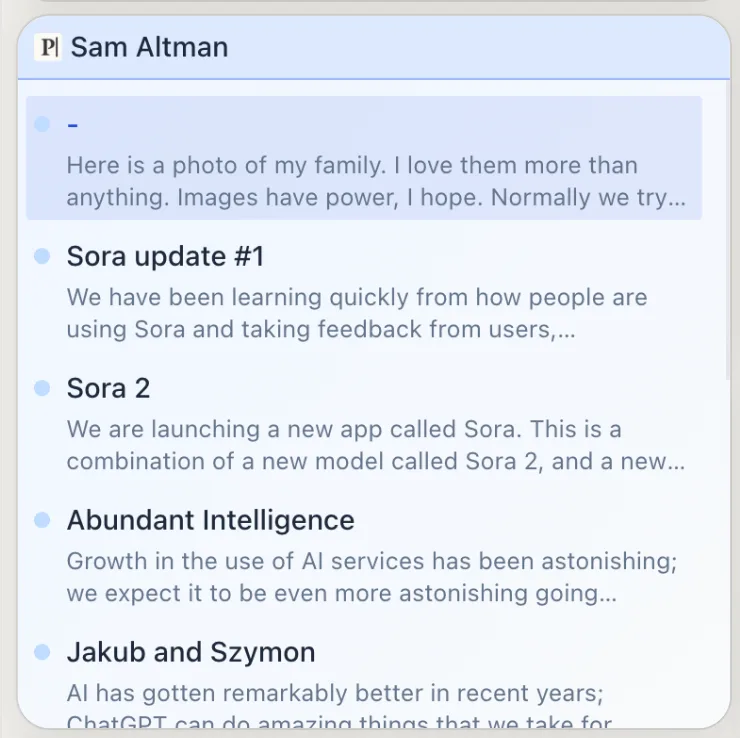
In this article, the widget side means RSS desktop widgets inside Kepo: compact desktop surfaces built for focused feed monitoring.
Kepo is not limited to RSS feeds. If a site does not provide RSS, Kepo can still turn the part you repeatedly check into a widget, such as an article list, changelog list, release list, status list, ranking, or community thread list.
When a desktop RSS ticker is enough
A desktop RSS ticker is enough when you only need a lightweight signal: the newest item, the source, the publish time, and a link back to the original post. It is not meant to manage unread counts or replace a reading inbox.
If you want the Kepo-specific setup, read the RSS widget guide or open the RSS plugin page.
When the website does not provide RSS
Traditional RSS readers need a feed URL. That is the right contract for blogs and publications that publish clean RSS or Atom feeds, but many modern websites no longer expose one.
Kepo can work from the page you already check. Instead of asking for a whole website in a tiny box, describe the exact content area: latest articles from this page, new posts in this list, recent product updates, open announcements, or the newest items from a topic page.
That matters for RSS reader comparisons because Kepo is not only a different reading surface. It can also create a small desktop view from website content that a normal RSS reader cannot subscribe to.
Use a full RSS reader when you follow many feeds
If you subscribe to dozens or hundreds of feeds, a desktop widget should not become your primary interface. You need folders, filtering, read history, syncing, and a comfortable reading view.
Kepo can still sit next to that setup as a small monitor for the few feeds that matter during the workday, but it should not become a cramped replacement for a proper reading queue.
Use Kepo when the feed is a work signal
Kepo fits RSS feeds and website pages that behave like status signals: release notes, support announcements, incident updates, competitor blogs, research feeds, article lists, or community posts you only need to sample.
A compact widget changes the cost of checking. You do not open a reader, scan folders, or lose your current context just to see whether a feed changed.
Reader vs Kepo RSS widget: the practical split
Choose NetNewsWire, Reeder, ReadKit, News Explorer, Feedly, or Inoreader when the job is reading, saving, organizing, and catching up. Choose Kepo when the job is noticing a small number of new items while you work.
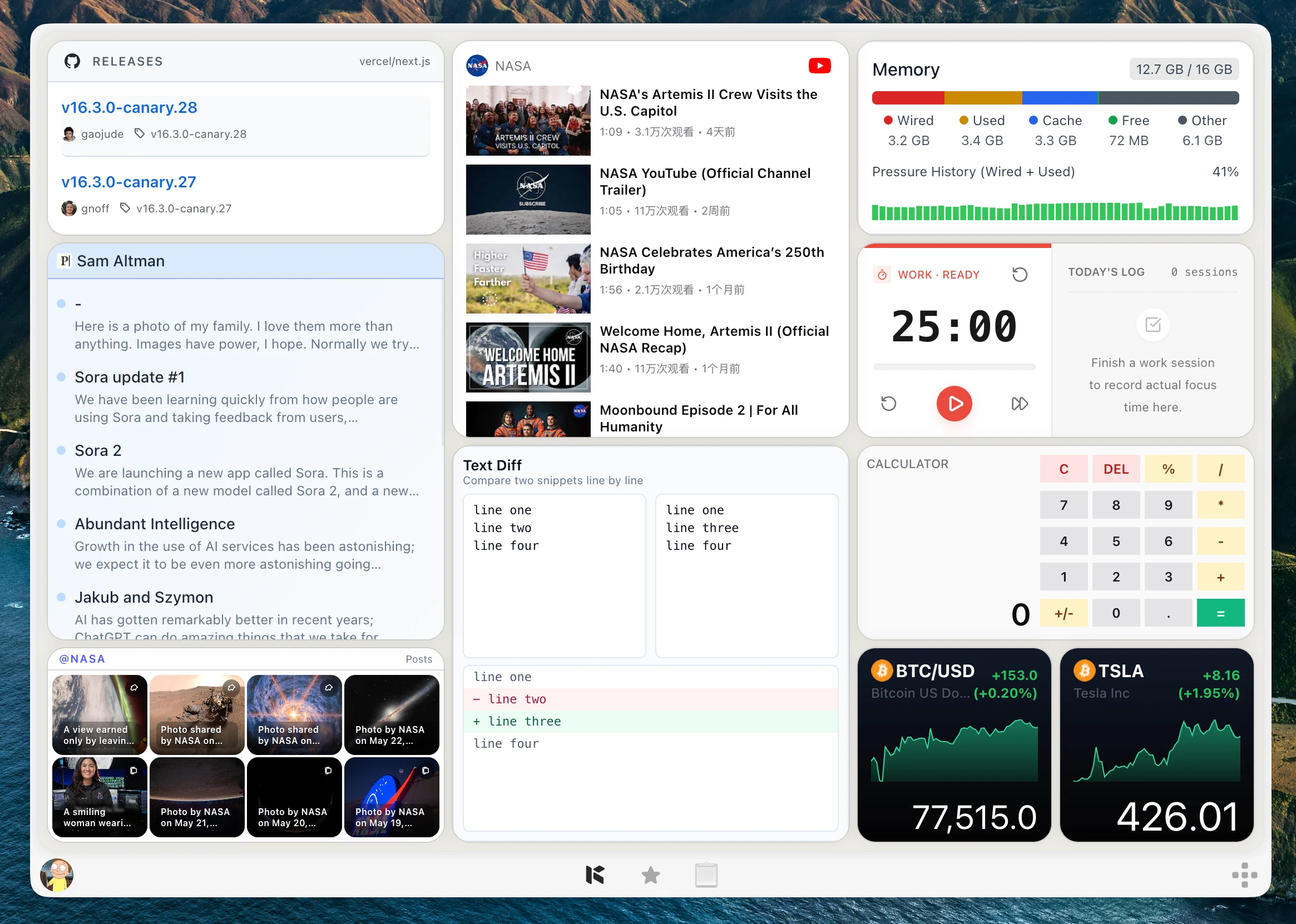
Many people can use both: a full RSS reader for weekly catch-up, and a desktop RSS widget in Kepo for the few feeds that should stay visible every day.
Best RSS readers for Mac FAQ
What is the best RSS reader for Mac?
NetNewsWire is a strong free native choice. Reeder, ReadKit, News Explorer, Feedly, and Inoreader are better fits depending on whether you want design polish, read-later support, Apple ecosystem sync, cloud sync, or advanced filtering.
Is Kepo an RSS reader?
Kepo can show RSS feeds as desktop widgets, but it is not a full RSS reading inbox. Use it for focused feed monitoring rather than large-scale reading and archiving.
Can I use Kepo with my RSS reader?
Yes. Keep your full feed library in an RSS reader, then use Kepo for the handful of feeds you want to monitor without opening the reader.
When is an RSS widget better than an RSS reader?
A desktop RSS widget is better when you only need to know whether something new appeared in one important feed. A reader is better when you plan to read, save, search, or organize many articles.
What is the difference between a Mac RSS reader and a desktop RSS ticker?
A Mac RSS reader is for reading, saving, organizing, and searching many feeds. A desktop RSS ticker is for noticing the latest items from one feed while you keep working.
What if the website does not have an RSS feed?
A traditional RSS reader needs a feed URL. Kepo can also turn a repeated website check into a desktop widget, such as the latest articles, updates, rankings, announcements, or list items from a page.
RSS readers are still the better place to read.
Kepo is better when a feed becomes a repeated check.
The best setup may be both: a real reading inbox and a few focused desktop widgets.
Stay informed with Kepo on your desktop
Embed interactive widgets, monitor dynamic sites, track APIs, and run ambient AI agents right on your macOS desktop.
Related Articles
View all posts →Kepo vs macOS widgets: custom AI widgets for Mac
The macOS widget gallery is the right place to start, but it can only show widgets that supported apps already provide.
Kepo vs Raycast: Mac desktop widgets vs command launcher
Raycast and Kepo both reduce context switching on Mac, but they solve different parts of the workflow.
Kepo vs browser tab managers: AI widgets instead of more tabs
Tab managers and desktop widgets both reduce browser clutter, but they do it from opposite directions.
WidgetGrid vs Live-Source Shortcut Panel Widgets on Mac
Compare WidgetGrid-style always-on Mac desktop engines with shortcut-panel widgets for websites, RSS, and APIs — when to embed a page, when to focus a signal.