RSS widget for Mac and desktop RSS ticker
An RSS reader is the right place to read and organize many feeds. An RSS widget is for a smaller job: seeing whether one important source changed.

An RSS reader is the right place to read, save, search, and organize many feeds. An RSS widget is for a smaller job: keeping one important feed visible so you can see whether something changed.
Kepo fits that smaller job. It can turn an RSS feed, or a website update area you check often, into a focused Mac desktop widget.
Use a desktop RSS widget when the feed is a work signal, not when you need a full reading inbox.
Create it with Kepo AI
Use a desktop RSS widget when the feed is a work signal, not when you need a full reading inbox.
Key solutions at a glance The main decisions from this guide, condensed into one table.
Put one important feed where you can see it
Some feeds do not need a reading app open all day. A product changelog, engineering blog, launch feed, incident update, competitor blog, research source, or news feed may only need a quick glance.
A desktop RSS widget helps answer a simple question: is there a new item worth opening?
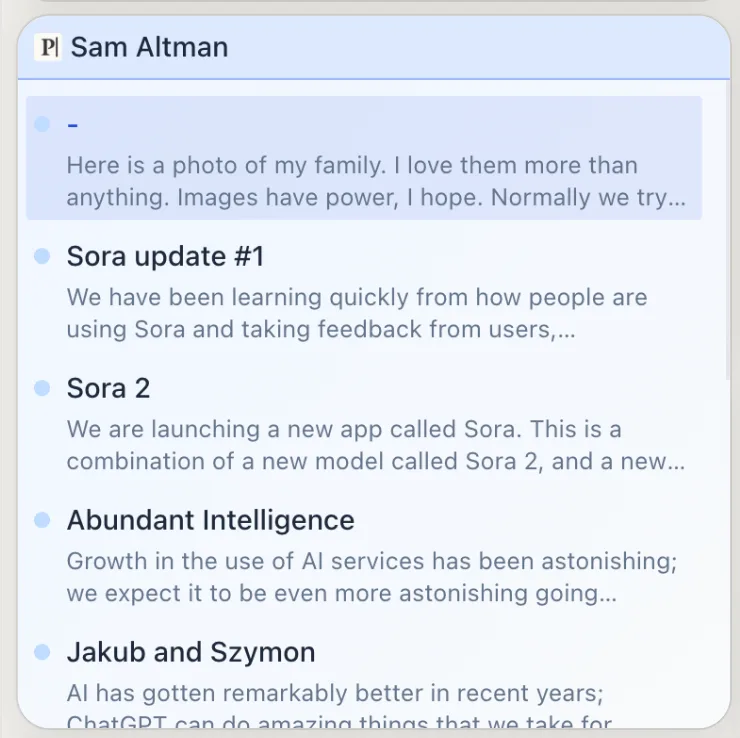
Use a desktop RSS ticker for work signals
A desktop RSS ticker is useful when the feed should stay close, but the full article does not need to be open. The widget can show recent titles, timestamps, and source links so you know whether the feed needs attention.
That makes sense for release notes, product updates, incident feeds, competitor blogs, research sources, small news feeds, and newsletters that publish through RSS or Atom.
For the practical plugin page and the broader reader comparison, use these next.
RSS widget vs RSS reader
A full RSS reader is still better when RSS is your main reading workflow. Choose a reader when you follow many sites, organize feeds into folders, track unread items, save articles, search an archive, import OPML, sync across devices, or spend time in long reading sessions.
Choose a Kepo RSS widget when you care about one feed or a small number of feeds, want the latest items visible on your Mac, and only need to decide whether to open the source.
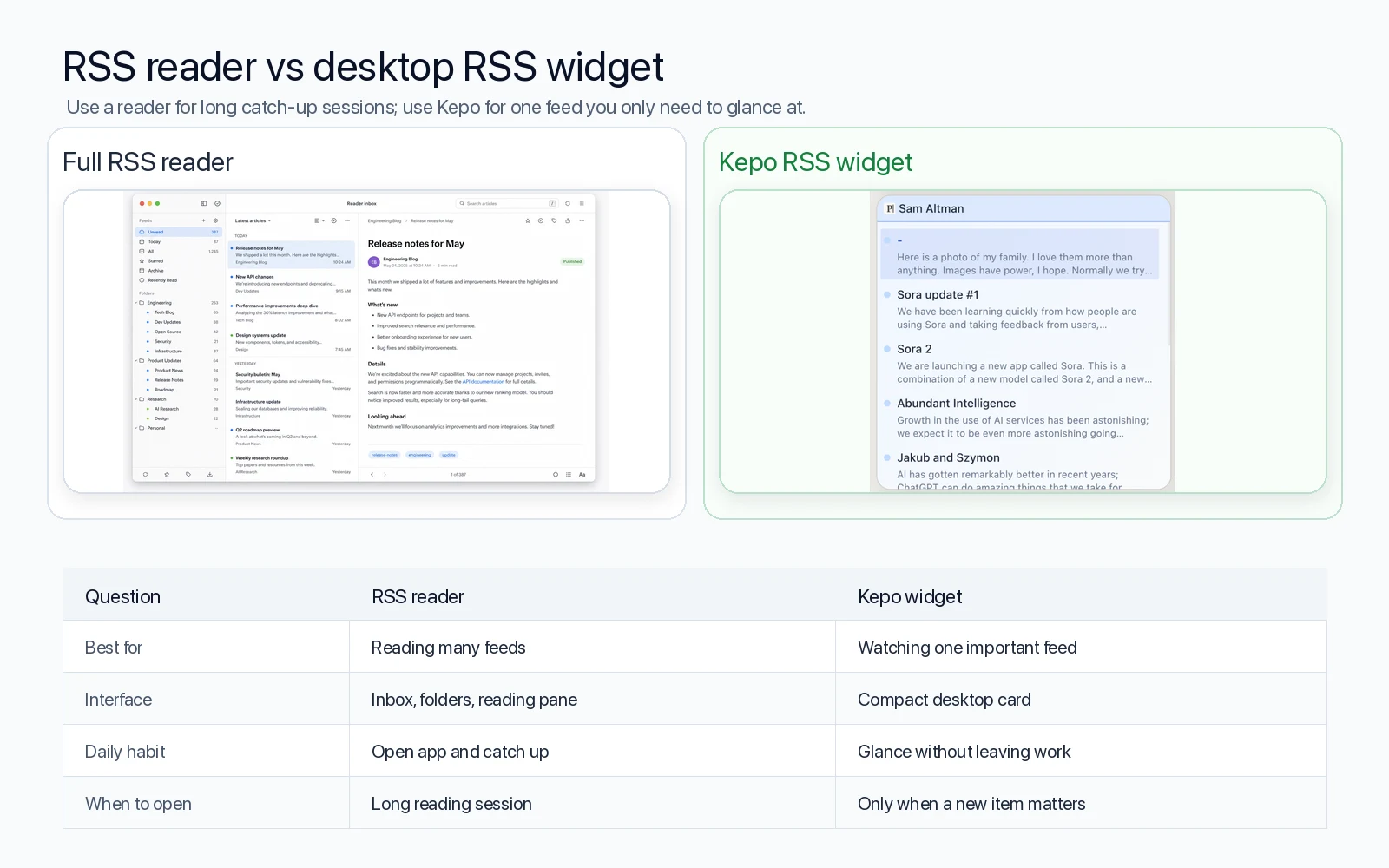
When a desktop RSS widget helps
RSS widgets work best when a source behaves like a signal instead of a library: a company changelog, engineering blog, product update feed, support or status feed, research blog, newsletter feed, or news feed you check during work.
The goal is not to read everything inside the widget. The goal is to lower the cost of checking whether something new appeared.
What if the site does not have RSS?
Some websites still provide clean RSS or Atom feeds. Others do not. When a site does not expose a useful feed, the repeated check may still be clear: the latest articles on a page, a changelog list, a release list, a status update area, or a news list.
In that case, Kepo can be framed around the part of the website you actually check, rather than around a full website or a full reading app.
RSS widget FAQ
What is the best RSS widget for Mac?
The best RSS widget for Mac depends on the job. If you want a small desktop surface for one feed or a few important feeds, Kepo is a good fit. If you want a full reading inbox, use a dedicated RSS reader instead.
Is Kepo an RSS reader?
Kepo can show RSS feeds as desktop widgets, but it should not be treated as a full RSS reader. Use Kepo for quick feed checks and visible updates. Use a full RSS reader for reading, saving, organizing, syncing, and searching many feeds.
Can I use Kepo as a desktop RSS ticker on Mac?
Yes. Kepo can show one RSS or Atom feed as a compact desktop RSS ticker, which is useful when you only need to notice new items during work.
Can I use an RSS widget and an RSS reader together?
Yes. A practical setup is to keep your full RSS library in an RSS reader and use Kepo for the few feeds you want to notice during the workday.
Related reading
This RSS widget sits next to other custom Mac desktop widgets and the free widgets for Mac overview.
Use Kepo when an RSS feed or website update is something you check repeatedly.
Try a focused RSS widget for one source first, then keep your full RSS reader for deeper reading, saving, searching, and organizing.
Stay informed with Kepo on your desktop
Embed interactive widgets, monitor dynamic sites, track APIs, and run ambient AI agents right on your macOS desktop.
Related Articles
View all posts →Best macOS widgets according to Reddit: what people keep and what they miss
Reddit threads reveal two truths about Mac widgets: people keep tools that answer repeated checks at a glance, and they quickly outgrow Apple’s static built-in gallery. Here is the distilled Reddit setup and how Kepo fills the gap.
Mac productivity widgets for repeated checks
Mac productivity is not only about faster commands. It is also about reducing the repeated checks that interrupt deep work.
Custom Mac widgets for the sources you keep checking
Native macOS widgets are great when an app already gives you what you need. Kepo covers the rest — including the web pages and feeds people used to wish old Mac OS X widgets could handle.
Website widget for Mac
Not every website gives you RSS, a native Mac widget, or a useful notification channel. Kepo gives repeated website checks a smaller desktop surface.