Best Widgets for Mac in 2026: Built-in Picks and Custom Kepo Widgets
The best Mac widgets answer a small question, stay readable, and save you from reopening the same app or browser tab.

Every list of the best widgets for Mac rounds up a fancy clock and a weather card. Nice, but not what you actually keep. The widgets that survive on your desktop are the ones that still earn a glance after the novelty wears off: they answer a small question, stay readable, and never turn into another thing you have to manage.
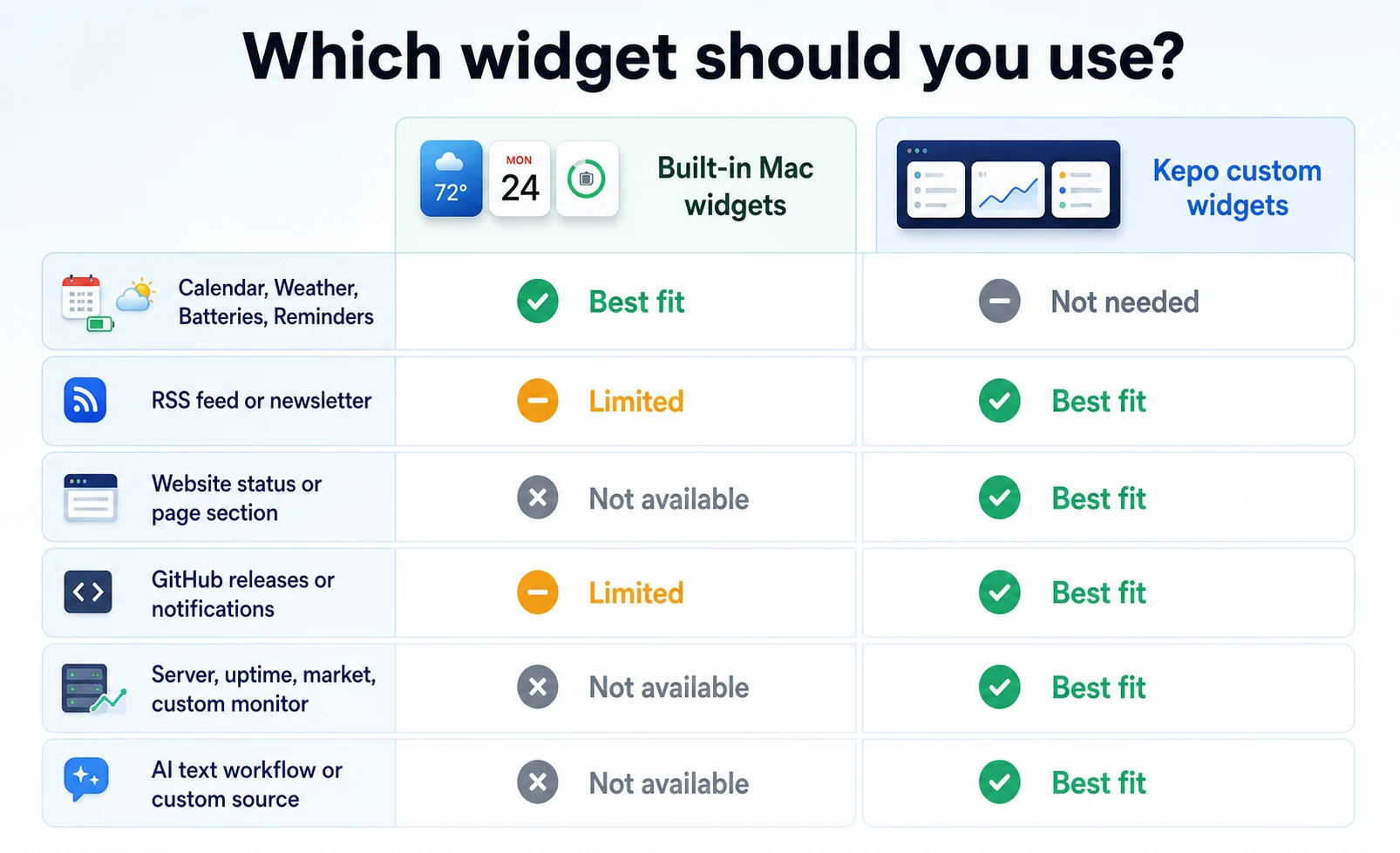
Kepo picks up where the macOS widget gallery stops. It turns RSS feeds, websites, tasks, monitors, timers, GitHub, trending lists, and AI-built workflows into focused desktop widgets. Keep Apple’s built-in widgets for the basics, and use Kepo for the sources and tools that do not already have a useful widget.
A good Mac widget earns its place by removing a repeated check. If it only looks nice but never changes what you do, it is decoration, and your desktop has better uses for the space.
Create it with Kepo AI
A good Mac widget earns its place by removing a repeated check.
Key solutions at a glance The main decisions from this guide, condensed into one table.
Why Kepo instead of a template-only widget app
Template-only apps are fine for decoration and common tasks. But if you want to turn a website, an RSS feed, a GitHub page, a Reddit thread, a Product Hunt launch, or an internal status page into a widget, you need an app built for custom sources. That is what Kepo does. You bring the source, Kepo brings the widget.
Best Kepo widgets for daily work
This is where Kepo earns its spot. When the thing you check is not in the macOS widget gallery, Kepo turns it into a desktop widget. Good first picks: RSS Reader for the one feed you actually read, Todo List for a short daily checklist, Pomodoro Clock for focus sessions, GitHub for developer checks, TodayHot for trending lists, and System Monitor for a quick look at CPU or memory.
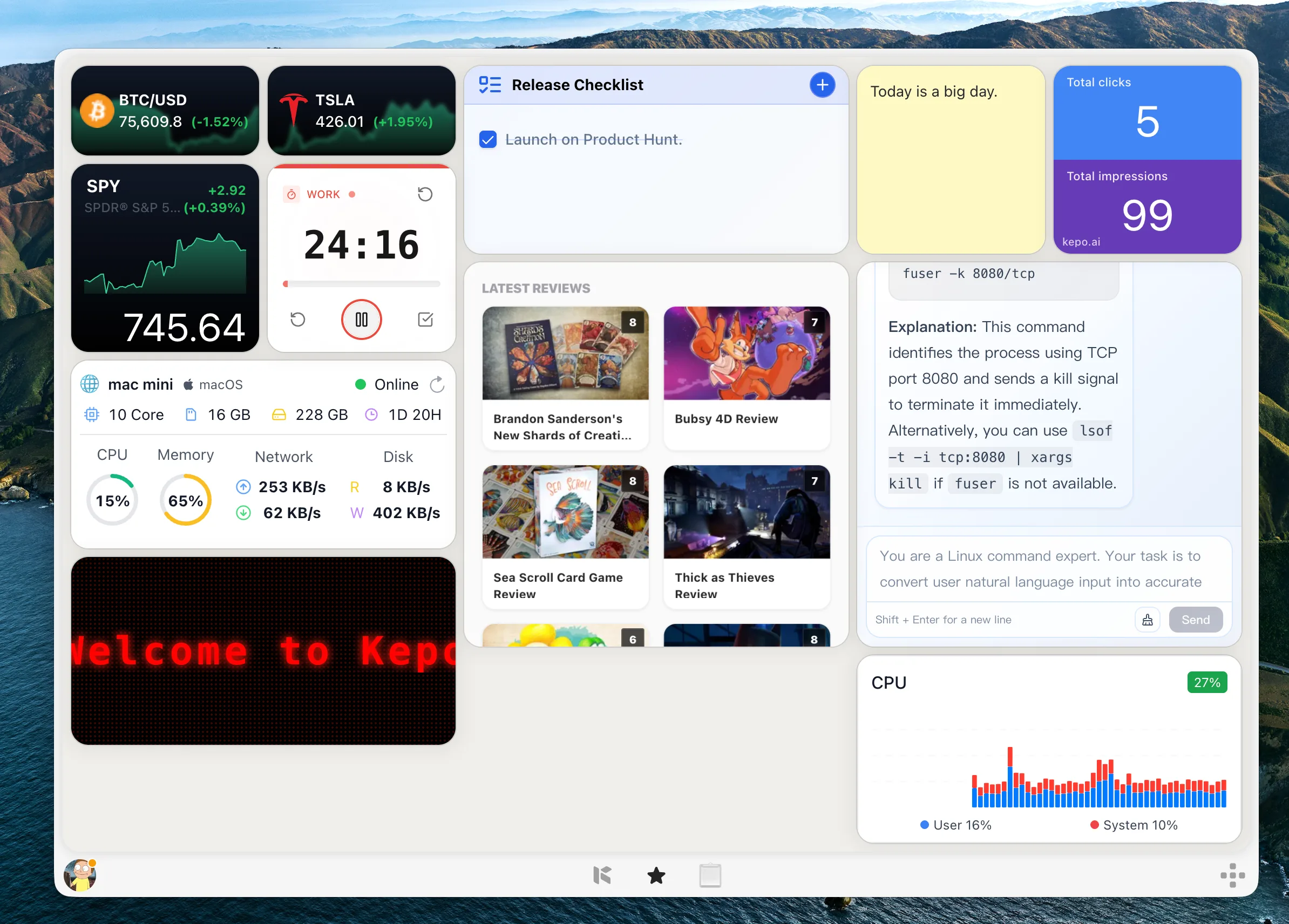
Resist the urge to fill the screen. Most good setups start with three to six widgets, one for each question you already ask yourself every day. The point is not more widgets. It is fewer repeated checks.
If RSS is the thing you check most, start with a focused feed widget.
Best built-in Mac widgets for the basics
The macOS widget gallery already covers Calendar, Reminders, Weather, Batteries, Notes, Clock, Music, and supported iPhone widgets well. Use those when an installed app already owns the data and its widget gives you the summary you need.
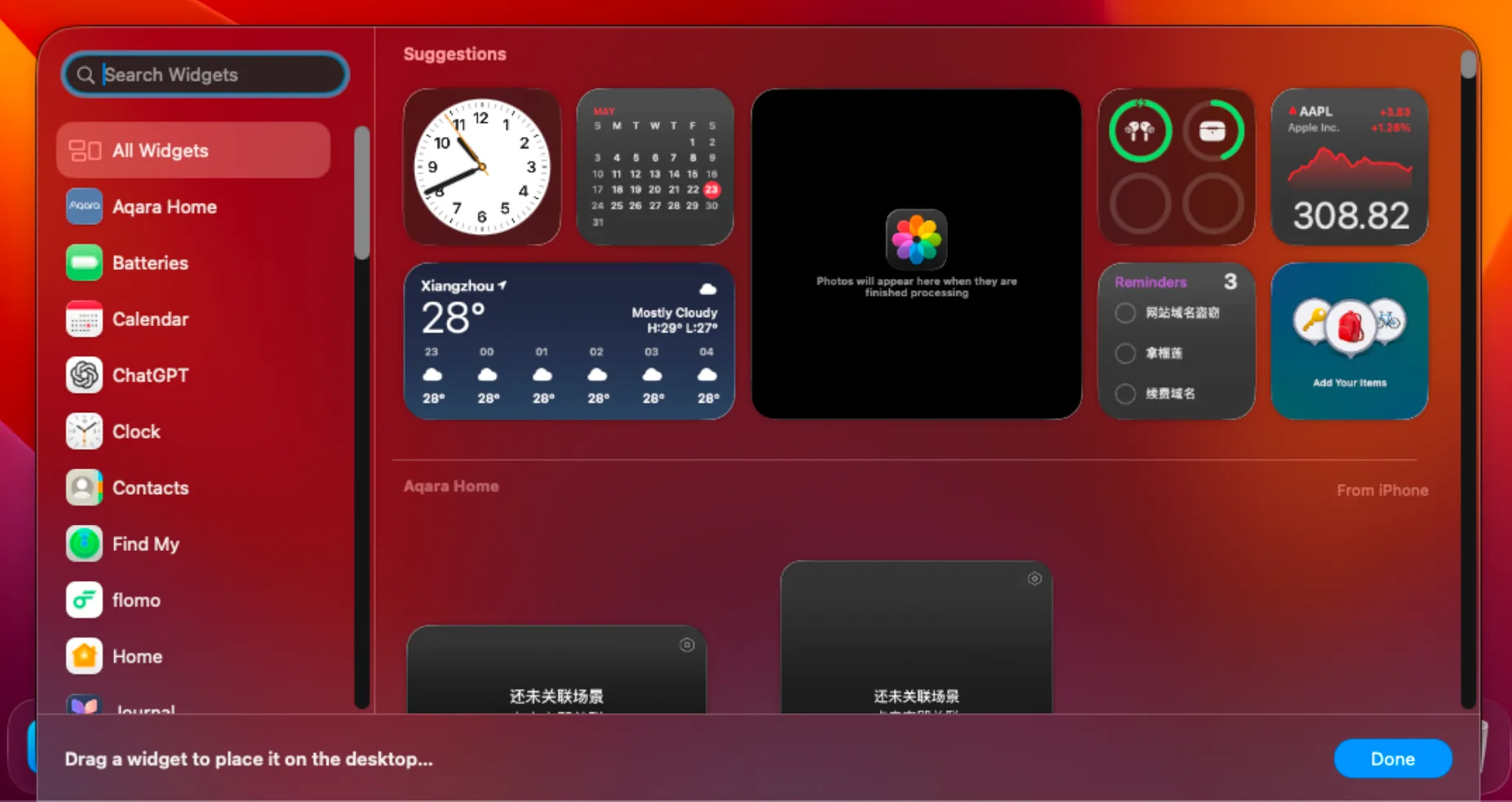
Explore the main Kepo guide to Mac desktop widgets and custom widget options.
Best Mac widgets by use case
Planning your day? Calendar, Reminders, Todo List, and a countdown widget cover it.
Reading? RSS Reader, TodayHot, or a website-specific feed widget.
Trying to focus? Pomodoro Clock or a simple timer.
Keeping an eye on infrastructure? System Monitor, Server Monitor, Web Status, or a status-page widget.
Developers usually get more from GitHub notifications, pull request reviews, releases, tags, server status, and uptime checks than from any broad news widget. If you ship code, these are the widgets that actually save you tab-switching.
And if you came here searching for cool widgets for Mac: the coolest widget is rarely another decorative clock. It is the one that saves you a repeated check, one feed, one website, one release page, one status view, one task list, or one timer.
Ready to replace a few repeated checks?
Free widgets for Mac and where Kepo fits
macOS built-in widgets are free and cover the basics well. Kepo adds ready-to-use widgets, and developers can build and run local custom widgets for free with Kepo Skills. The built-in AI creation flow is the paid convenience layer for people who would rather describe a widget than develop it themselves. The combination is where it clicks: built-in widgets for supported app summaries, Kepo widgets for everything custom you actually check.
Looking specifically at free or custom widget options? These pages go deeper.
Related Mac desktop widget guides
Keep going with the Mac desktop widgets hub and the scenario guides for GitHub, websites, RSS, and system monitors.
How to choose a Mac widget app
Here is a simple test for any Mac widget app: ignore the template count and ask what sources it can handle. Can it show the feed, website, account, file, server, prompt, or status page you actually check? That answer matters more than a big gallery.
Also check that the widget stays readable at the size you will really use. A widget that only works when it is huge is not a widget, it is a window. Kepo widgets are built to stay readable at the sizes people actually keep on their desktops.
Best Mac widgets FAQ
What are the best widgets for Mac?
For most people, the best Mac widgets are Calendar, Reminders, Weather, Batteries, Notes, and Clock from macOS, plus a few focused custom widgets from Kepo: an RSS feed, a todo list, a timer, GitHub checks, a server monitor, or a website status check.
Are Mac widgets free?
Yes. macOS includes a built-in widget gallery at no cost. Kepo also includes ready-to-use widgets, and developers can build local custom widgets for free with Kepo Skills. Kepo’s built-in AI creation flow is a paid convenience feature.
Can I create custom widgets for Mac?
Yes. Kepo can turn RSS feeds, websites, GitHub pages, Reddit threads, Product Hunt launches, internal status pages, and more into custom desktop widgets. Developers can build locally with Kepo Skills, or use the paid AI creation flow for guided creation.
What is the best Mac widget app for developers?
Developers tend to get the most value from Kepo’s GitHub, server monitor, and status-page widgets, which surface pull request reviews, releases, uptime, and infrastructure checks without opening a browser.
How many widgets should I keep on my desktop?
Start with three to six, one for each question you already ask yourself daily. Every widget should still get a glance. If one stops earning it, remove it.
How do I get started?
Open the macOS widget gallery and keep the built-in widgets that solve a real need. Then download Kepo and add custom widgets for the sources built-in widgets cannot cover. Keep the setup small enough that every widget still gets a glance.
Start with the built-in macOS widgets that already solve a real need.
Add Kepo widgets for the custom checks that Apple and app widgets do not cover.
Keep the setup small enough that every widget still gets a glance.
Stay informed with Kepo on your desktop
Embed interactive widgets, monitor dynamic sites, track APIs, and run ambient AI agents right on your macOS desktop.
Related Articles
View all posts →How to calculate days between dates and business days
Enter two dates to count calendar days, weekdays, and weekends. Check whether to include the end date, follow a worked example, and account separately for holidays.
How to find IP address on Mac: local vs. public IP explained
Learn how to find IP address on Mac across local network interfaces and public gateways. Master Terminal shortcuts, understand private vs. public routing, and pin live network widgets to your desktop.
How to crop an image on Mac: native tools and instant workflows
Crop an image on Mac with Preview or Photos, or try the center-crop tool on this page. Compare selection controls, aspect ratios, PNG export, and ways to preserve the original.
How to add widgets on Mac with AI-built custom widgets
A practical guide to adding widgets to the Mac desktop, using the built-in widget gallery, and creating custom widgets when the widget you need does not already exist.