Kepo vs macOS widgets: custom AI widgets for Mac
The macOS widget gallery is the right place to start, but it can only show widgets that supported apps already provide.

macOS widgets are useful because they are native, familiar, and already integrated with the desktop and Notification Center.
Their limitation is also clear: the widget must already exist. If an app or website does not provide the widget you want, the macOS widget gallery cannot invent it for you.
Use native macOS widgets first. Use Kepo for the custom information sources and workflows that do not already have a native widget.
Create it with Kepo AI
Use native macOS widgets first.
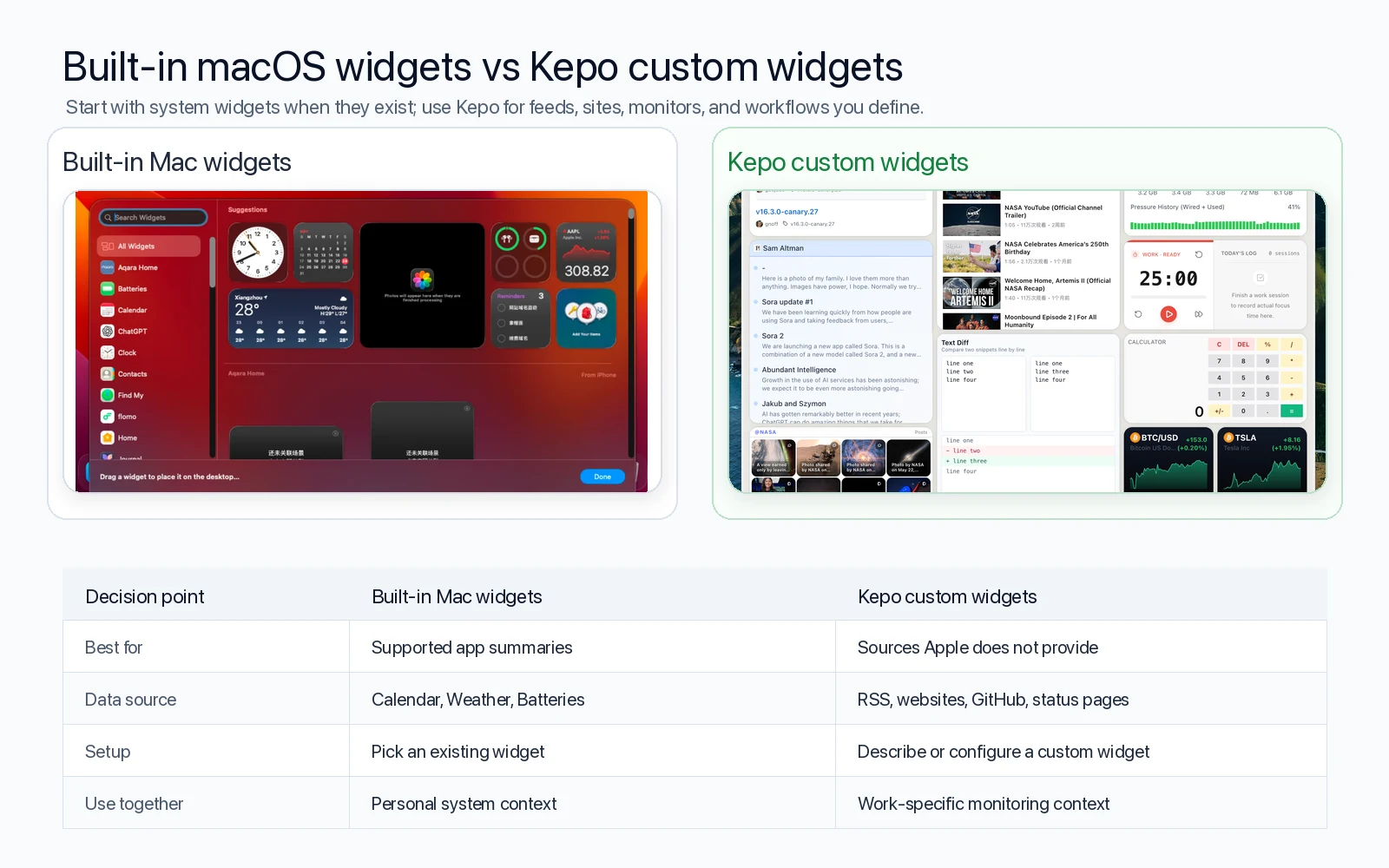
Key solutions at a glance The main decisions from this guide, condensed into one table.
What macOS widgets are good at
macOS widgets are best for supported apps and system information: Calendar, Reminders, Weather, Batteries, Clock, Notes, and third-party apps that already ship widgets.
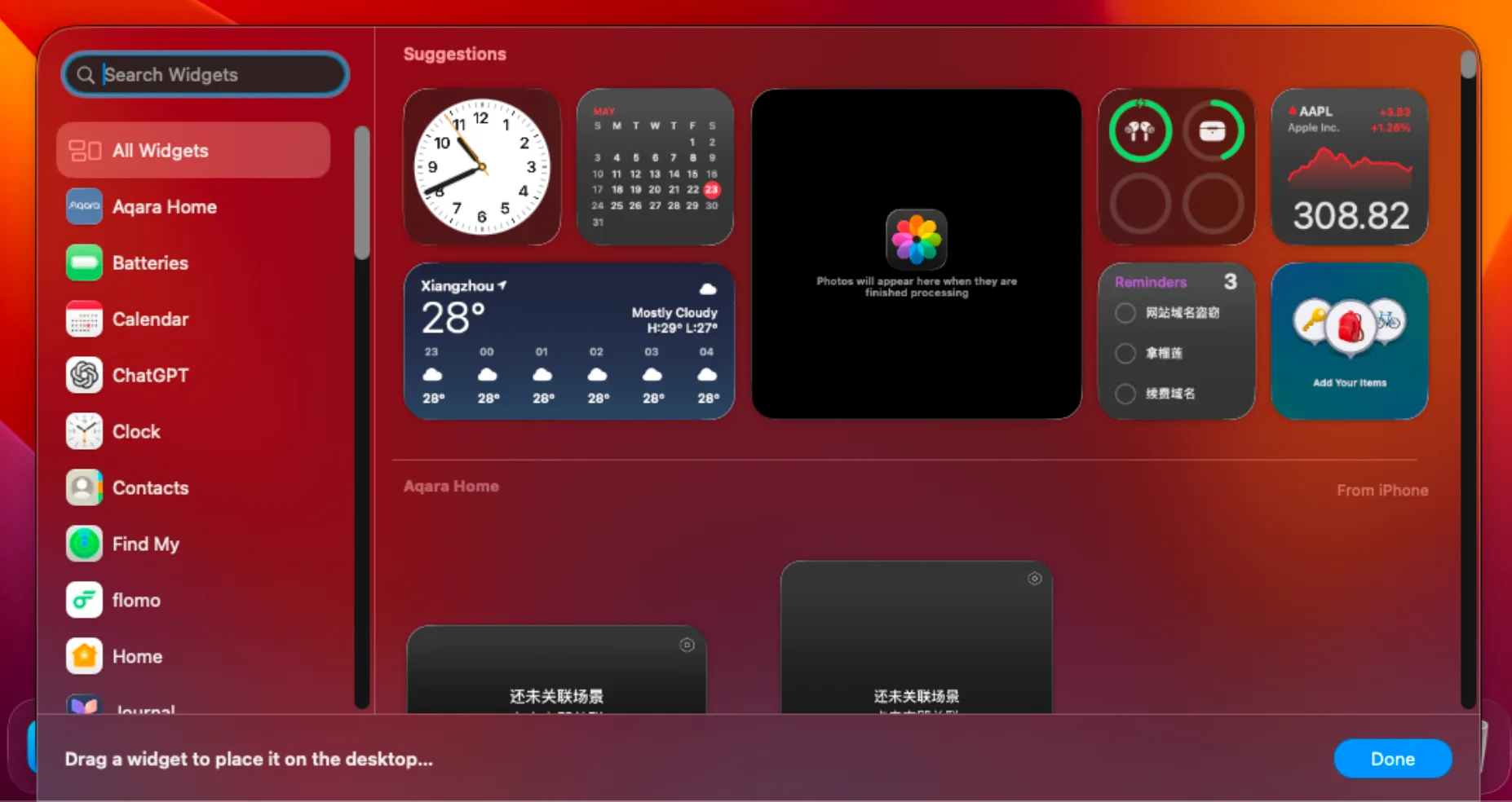
They work well when the app owns the data and the widget only needs to show a small, supported summary.
Where native widgets stop
Native widgets depend on app support. If you need a widget for a specific website, RSS feed, GitHub repository, server status page, community page, or AI workflow, there may be no widget to add.
Even iPhone widgets on Mac still depend on Apple continuity requirements and the app behavior chosen by the developer. They are useful, but they are not a general custom widget builder.
What Kepo adds
Kepo is built for custom desktop widgets. You can turn a feed, website, monitor, list, status check, or repeated AI task into a focused widget inside a desktop panel.
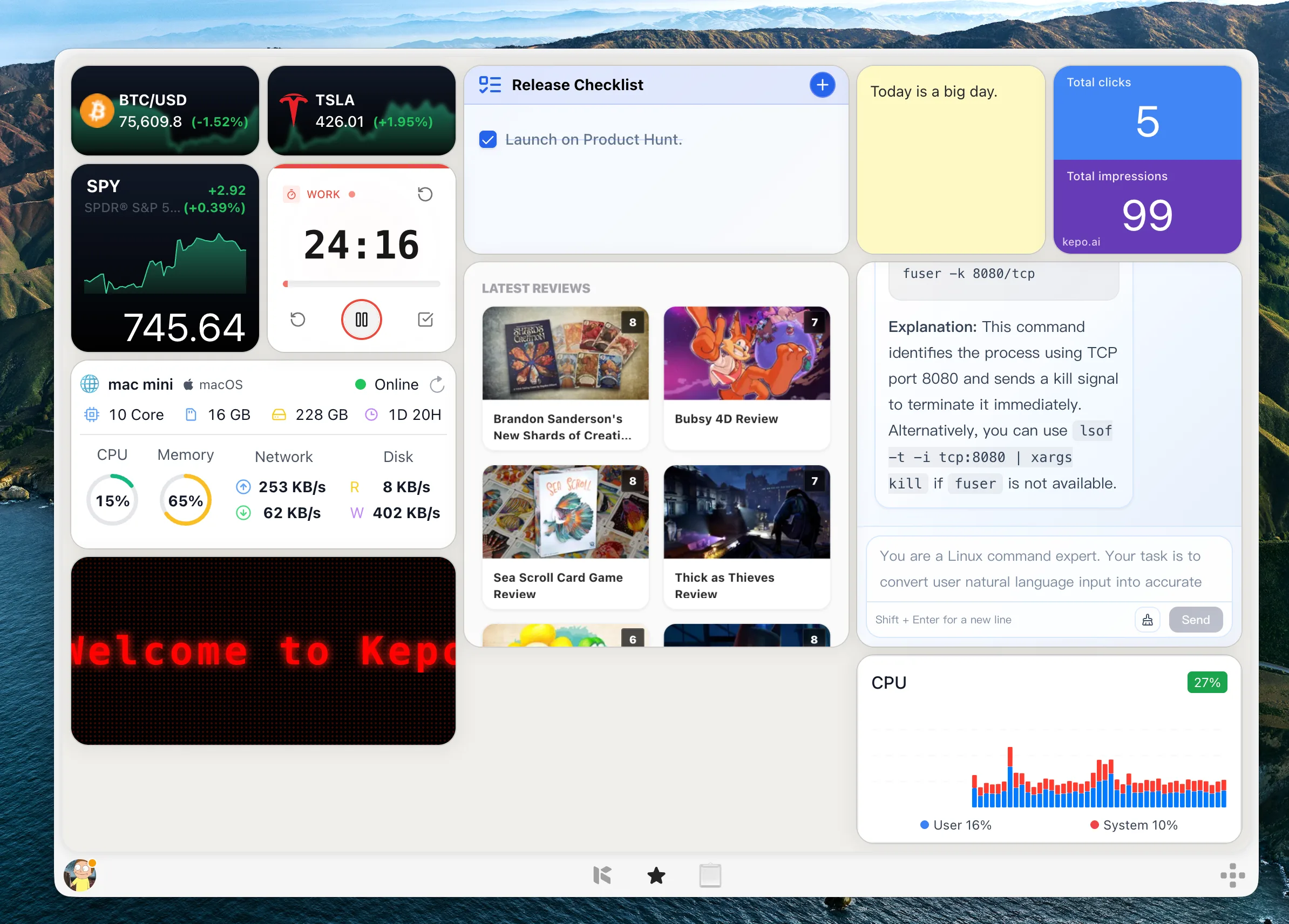
This makes Kepo a complement to macOS widgets rather than a replacement. Native widgets cover supported app summaries. Kepo covers the custom sources you define.
Use macOS widgets for personal system context
If the question is personal and already supported by Apple or an installed app, use the native widget: what is next on my calendar, what is the weather, what reminders are due, how much battery is left?
These widgets deserve to stay close to the desktop because they are stable, low-friction, and do not require custom setup.
Use Kepo for work-specific custom context
If the question is specific to your work, use Kepo: did this feed publish an update, did this repository release a new version, did this status page change, what are the latest items from this community, what should this AI prompt summarize?
These are not generic app summaries. They are custom checks, which means the value comes from choosing the exact source and the smallest useful view.
macOS widgets comparison FAQ
Can macOS create custom widgets from any website?
No. The built-in widget gallery shows widgets provided by supported apps. Use Kepo when you need a widget from a custom website, feed, monitor, or workflow.
Should I use Kepo instead of built-in Mac widgets?
Use both when they solve different jobs. Built-in Mac widgets are best for supported app summaries. Kepo is better for custom sources that do not have native widgets.
Can I use iPhone widgets on Mac?
Yes, when your devices and settings support it. iPhone widgets can appear in the Mac widget gallery, but they still depend on the iPhone app and Apple continuity requirements.
What is the best custom widget tool for Mac?
The best tool depends on the source. If you need custom feeds, websites, monitors, and AI workflows in one desktop panel, Kepo is designed for that use case.
Start with macOS widgets when the widget already exists.
Add Kepo when the widget you need is custom.
That keeps native system context and work-specific context in the right places.
Stay informed with Kepo on your desktop
Embed interactive widgets, monitor dynamic sites, track APIs, and run ambient AI agents right on your macOS desktop.
Related Articles
View all posts →Best RSS readers for Mac: reader apps vs desktop RSS ticker widgets
The best RSS setup for Mac depends on whether you want to read many feeds or keep a few work signals visible on your desktop.
Kepo vs Raycast: Mac desktop widgets vs command launcher
Raycast and Kepo both reduce context switching on Mac, but they solve different parts of the workflow.
Kepo vs browser tab managers: AI widgets instead of more tabs
Tab managers and desktop widgets both reduce browser clutter, but they do it from opposite directions.
WidgetGrid vs Live-Source Shortcut Panel Widgets on Mac
Compare WidgetGrid-style always-on Mac desktop engines with shortcut-panel widgets for websites, RSS, and APIs — when to embed a page, when to focus a signal.