Kepo vs browser tab managers: AI widgets instead of more tabs
Tab managers and desktop widgets both reduce browser clutter, but they do it from opposite directions.

A browser tab manager helps when the browser is already crowded. It can save tabs, group them by project, restore sessions, suspend unused tabs, or turn many tabs into a list.
Kepo helps earlier in the workflow. Instead of organizing the same status, feed, dashboard, and repository tabs again, you can turn some of those repeated checks into desktop widgets.
The question is not which tool is better. The question is whether the tab should exist at all.
Create it with Kepo AI
The question is not which tool is better. The question is whether the tab should exist at all.
Key solutions at a glance The main decisions from this guide, condensed into one table.
What tab manager extensions are good at
Extensions such as OneTab and Workona are useful when you have many pages open and need to save, group, restore, or separate them by project.
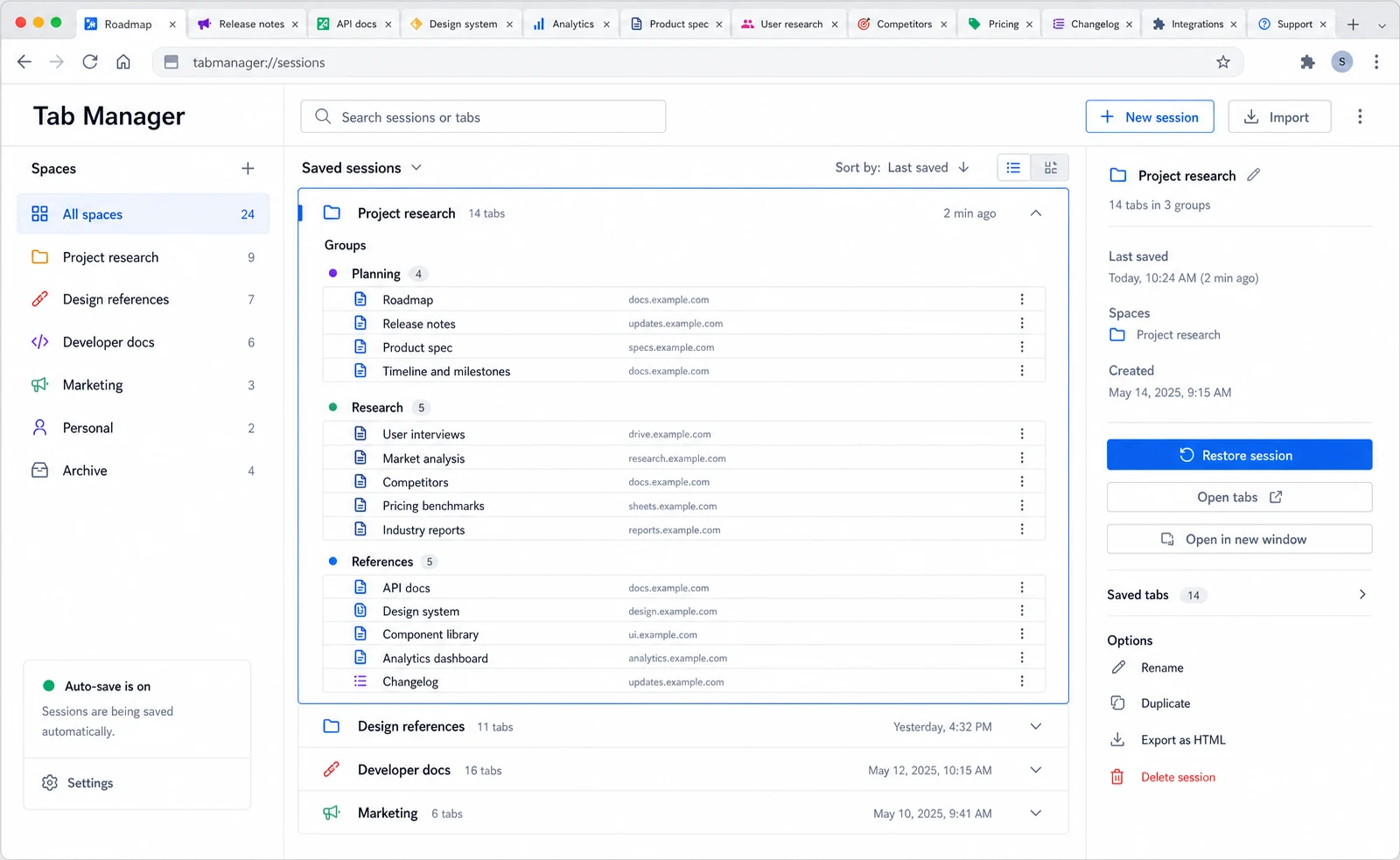
This is the right solution when the pages are still the work surface: research tabs, documents, dashboards, issue trackers, dashboards, and apps you need to return to.
Where tab managers do not help enough
A saved tab is still a tab you may reopen. If you keep opening the same page only to check whether one number, title, status, feed item, or notification changed, organizing that tab does not remove the repeated behavior.
That is where browser organization reaches its limit. It keeps the mess tidy, but it does not always reduce the need to check.
What Kepo changes
Kepo turns repeated checks into small desktop widgets. A feed, status page, GitHub view, todo list, countdown, or monitor can stay visible without becoming another browser tab.
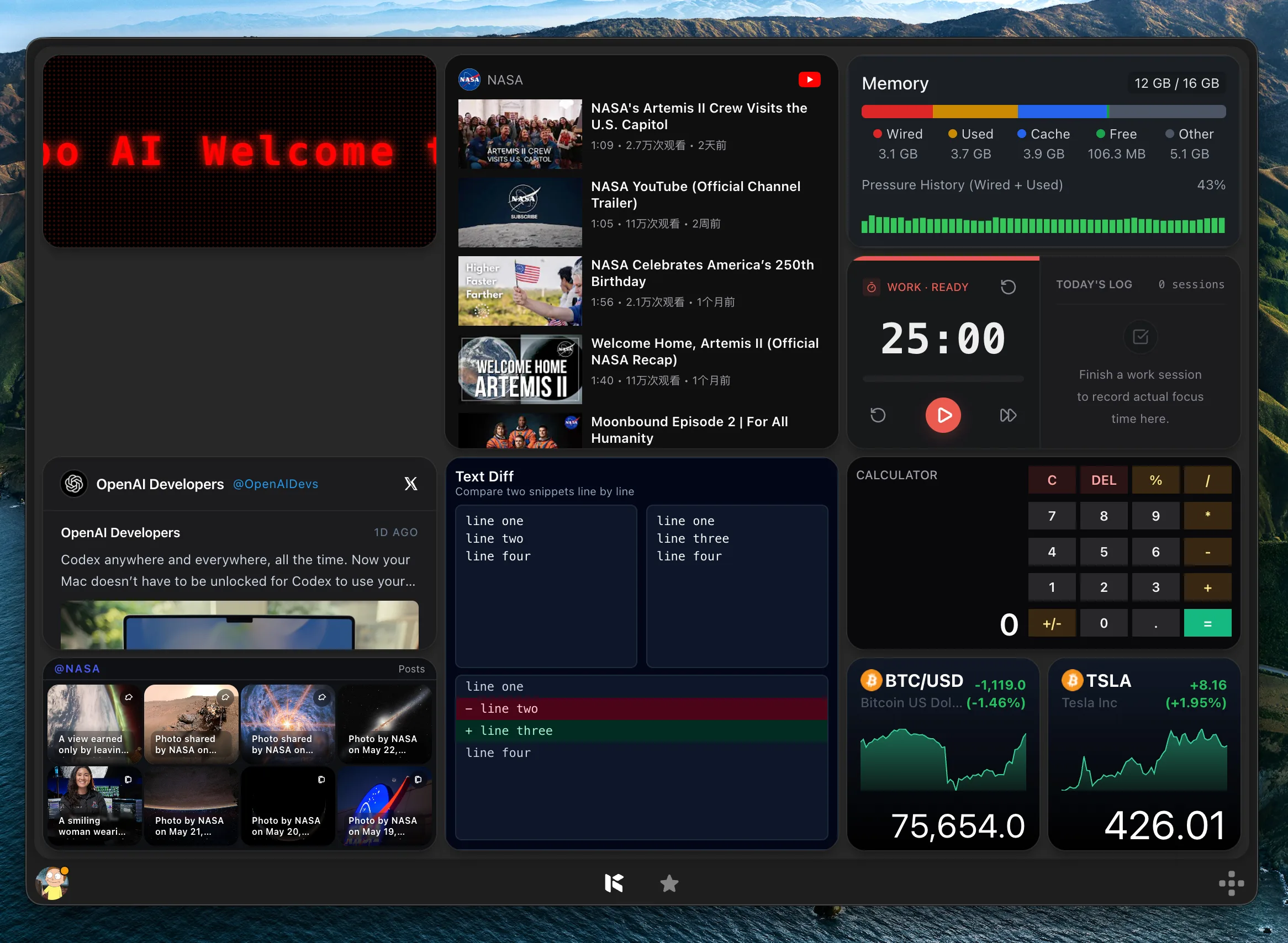
The browser remains where you investigate and act. Kepo handles the quick question that made you open the tab repeatedly.
Use a tab manager for project state
If the open pages represent a project, use a tab manager. Research, customer docs, admin pages, and working documents often need to be restored together.
This is especially true when the context matters more than any single data point. A project workspace is a browser problem, not a widget problem.
Use Kepo for repeated checks
If the tab exists only because you check it many times a day, consider a Kepo widget: latest RSS item, open pull request, release status, service health, market number, community thread, or a small internal list.
A good widget does not need every control from the original page. It only needs the smallest view that tells you whether the full page is worth opening.
Tab manager comparison FAQ
Is Kepo a tab manager?
No. Kepo does not save or restore browser tabs. It creates desktop widgets for repeated checks that might otherwise become browser tabs.
Should I use OneTab, Workona, or Kepo?
Use OneTab or Workona when you need to save, group, restore, or switch browser sessions. Use Kepo when you want to avoid opening the same monitoring tabs repeatedly.
Can desktop widgets reduce browser tabs?
Yes, when the tab exists only for a small repeated check. Widgets are less useful for pages where you need to read, edit, compare, or complete a full workflow.
What tabs should become widgets first?
Start with pages you refresh or glance at repeatedly: feeds, status pages, GitHub views, metrics, countdowns, todo lists, and small dashboards.
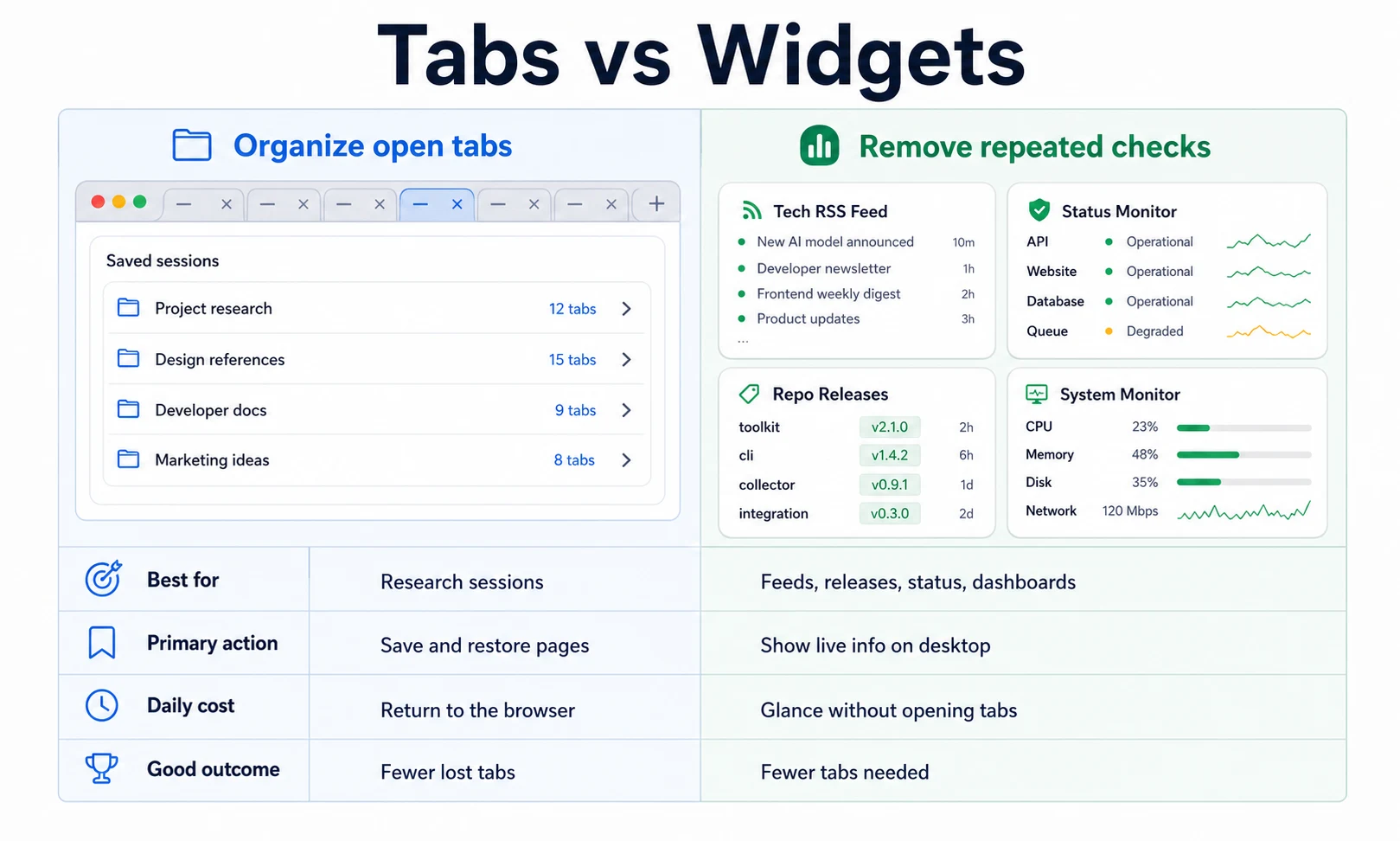
Tab managers organize browser work.
Kepo removes some repeated checks from the browser.
Use both when you have real browser sessions to save and small signals that should stay visible.
Stay informed with Kepo on your desktop
Embed interactive widgets, monitor dynamic sites, track APIs, and run ambient AI agents right on your macOS desktop.
Related Articles
View all posts →Best RSS readers for Mac: reader apps vs desktop RSS ticker widgets
The best RSS setup for Mac depends on whether you want to read many feeds or keep a few work signals visible on your desktop.
Kepo vs macOS widgets: custom AI widgets for Mac
The macOS widget gallery is the right place to start, but it can only show widgets that supported apps already provide.
Kepo vs Raycast: Mac desktop widgets vs command launcher
Raycast and Kepo both reduce context switching on Mac, but they solve different parts of the workflow.
WidgetGrid vs Live-Source Shortcut Panel Widgets on Mac
Compare WidgetGrid-style always-on Mac desktop engines with shortcut-panel widgets for websites, RSS, and APIs — when to embed a page, when to focus a signal.