Polymarket odds widget
The Kepo Polymarket plugin is for quickly checking market odds without repeatedly opening a prediction market page.

Prediction markets are useful when you want a live signal for one question.
The problem is that checking odds can turn into browsing unrelated markets.
Polymarket Odds keeps the selected market visible so you can decide when it is worth opening the full page.
A prediction market widget is useful when it keeps one market visible without turning into another browsing session.
Use the Polymarket odds widget plugin
A prediction market widget is useful when it keeps one market visible without turning into another browsing session.
Key solutions at a glance The main decisions from this guide, condensed into one table.
What widgets are included in Polymarket
Market Pulse
Highlight the live probabilities and moves of breakout markets.
Hot Topics
Track the highest-volume public prediction topics on Polymarket.
Category Topics
Choose a predictions category and browse the live topics under it.
Event Probability
Show the leading outcome probabilities inside a single event.
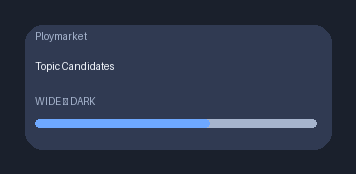
Topic Candidates
Compare multi-candidate market probabilities inside one featured topic.
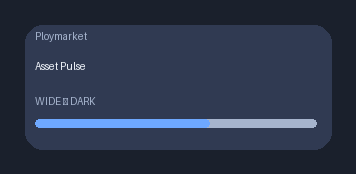
Asset Pulse
Summarize the logged-in portfolio value and largest positions.
Who needs a Polymarket widget
Researchers, operators, investors, and builders may follow a small number of markets around elections, products, companies, or macro events.
The widget is useful when you want quick awareness rather than a full trading workflow.
One market, focused odds checking
Polymarket Odds is designed around a selected market and its current odds.
Use the original Polymarket page when you need full market context, liquidity, comments, or account actions.
Keep prediction signals separate
A dedicated widget keeps one question separate from news, social feeds, and other dashboards.
That makes the signal easier to scan during a workday.
Polymarket odds widget FAQ
Can I monitor Polymarket odds on my desktop?
Yes. The Polymarket Odds widget lets you keep selected market odds visible in Kepo.
Does the widget place trades?
No. It is for viewing and monitoring odds, not for trading actions.
Can I follow multiple markets?
Use multiple Polymarket widgets when you want separate views for separate markets.
Related Mac Desktop Widgets Resources
Explore more Mac desktop widgets and curated guides to run alongside this widget in Kepo:
Use Kepo for quick odds awareness.
Use Polymarket itself for full context and any account action.
Stay informed with Kepo on your desktop
Embed interactive widgets, monitor dynamic sites, track APIs, and run ambient AI agents right on your macOS desktop.
Related Articles
View all posts →GitHub widgets for developers
The Kepo GitHub plugin turns common GitHub checks into focused desktop widgets for builders who need to stay aware without living in browser tabs.
Developer Tools desktop widgets
The Kepo Developer Tools plugin turns small developer checks into desktop widgets so JSON, JWTs, regex tests, hashes, timestamps, cron schedules, colors, diffs, and UUIDs stay one glance away.
Google Search Console desktop widget
The Kepo Google Search Console plugin turns repeated SEO checks into a small desktop view for the sites you watch every day.
X desktop widgets
The Kepo X plugin turns repeated Twitter checks into focused desktop widgets for social listening and daily account monitoring.