Pomodoro Clock desktop widget
The Kepo Pomodoro Clock plugin keeps focus sessions close without opening a separate timer app.

Focus timers are useful because they are simple.
The friction comes from opening a separate timer, finding it again, or losing track of break state.
Pomodoro Clock keeps work and break sessions in a small Kepo widget.
A Pomodoro widget should keep the session visible without distracting from the work session itself.
Use the Pomodoro Clock desktop widget plugin
A Pomodoro widget should keep the session visible without distracting from the work session itself.
Key solutions at a glance The main decisions from this guide, condensed into one table.
What widgets are included in pomodoro-clock
pomodoro-clock
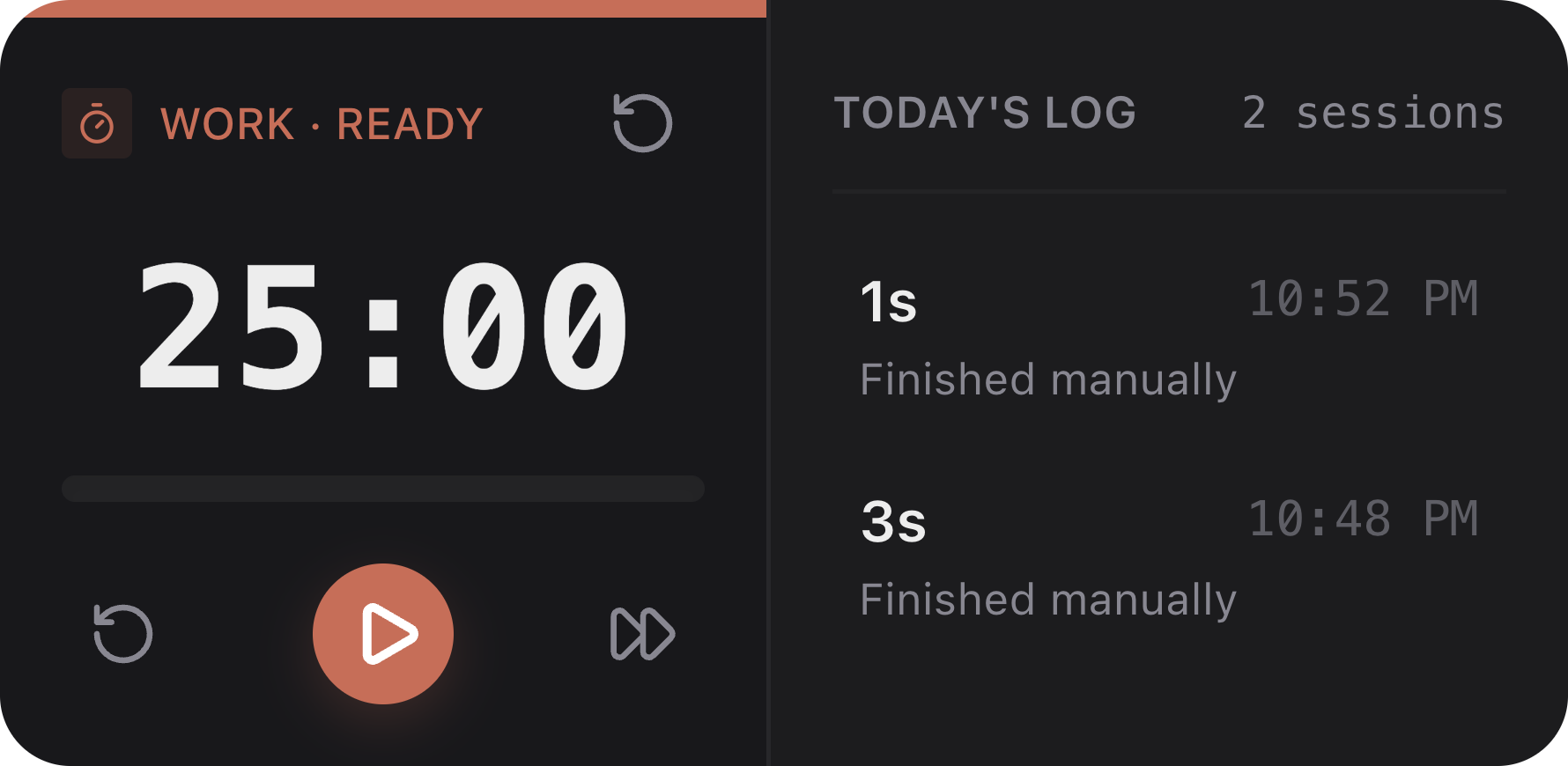
Pomodoro timer with work mode, break mode, and completion records.
Who needs a Pomodoro widget
Writers, developers, students, and operators can use it for bounded focus blocks.
It is useful when you want a timer near your current workspace instead of in a separate app or browser tab.
Work mode, break mode, and records
The widget supports start, pause, resume, finish, and reset actions.
Wide size can show recent completion records, which helps you see how many sessions you actually finished.
Adjust work and break duration
The default work session is 25 minutes and the default break is 5 minutes.
You can change both values and choose whether breaks start automatically after work sessions.
Pomodoro Clock desktop widget FAQ
Can I use Pomodoro Clock as a Mac timer widget?
Yes. Pomodoro Clock is a Mac timer widget for focus sessions, work blocks, and breaks inside Kepo.
Can I use Pomodoro on my desktop?
Yes. Pomodoro Clock runs work and break timers inside a Kepo desktop widget.
Can I change the Pomodoro duration?
Yes. You can configure work minutes and break minutes in the widget settings.
Does Pomodoro Clock require login?
No. It works locally and does not need a browser login.
Related Mac Desktop Widgets Resources
Explore more Mac desktop widgets and curated guides to run alongside this widget in Kepo:
The timer stays close.
The work stays in the app where you are already working.
Stay informed with Kepo on your desktop
Embed interactive widgets, monitor dynamic sites, track APIs, and run ambient AI agents right on your macOS desktop.
Related Articles
View all posts →GitHub widgets for developers
The Kepo GitHub plugin turns common GitHub checks into focused desktop widgets for builders who need to stay aware without living in browser tabs.
Developer Tools desktop widgets
The Kepo Developer Tools plugin turns small developer checks into desktop widgets so JSON, JWTs, regex tests, hashes, timestamps, cron schedules, colors, diffs, and UUIDs stay one glance away.
Google Search Console desktop widget
The Kepo Google Search Console plugin turns repeated SEO checks into a small desktop view for the sites you watch every day.
X desktop widgets
The Kepo X plugin turns repeated Twitter checks into focused desktop widgets for social listening and daily account monitoring.