Product Hunt desktop widget
The Kepo Product Hunt plugin turns launch discovery into one desktop feed for product names, taglines, links, and richer details when Product Hunt exposes them.

Product Hunt is a useful place to discover new products, but launch discovery can easily become a repeated browser habit.
Most people do not need to keep the whole Product Hunt site open all day. They need a quick way to scan what launched and decide what deserves a closer look.
The Kepo Product Hunt plugin puts that launch feed into one desktop widget, with small, wide, and large layouts for different panel sizes.
A Product Hunt widget should help you notice launches worth opening, not become another full discovery feed to manage.
Use the Product Hunt desktop widget plugin
A Product Hunt widget should help you notice launches worth opening, not become another full discovery feed to manage.
Key solutions at a glance The main decisions from this guide, condensed into one table.
What widgets are included in Product Hunt
product-hunt-feed
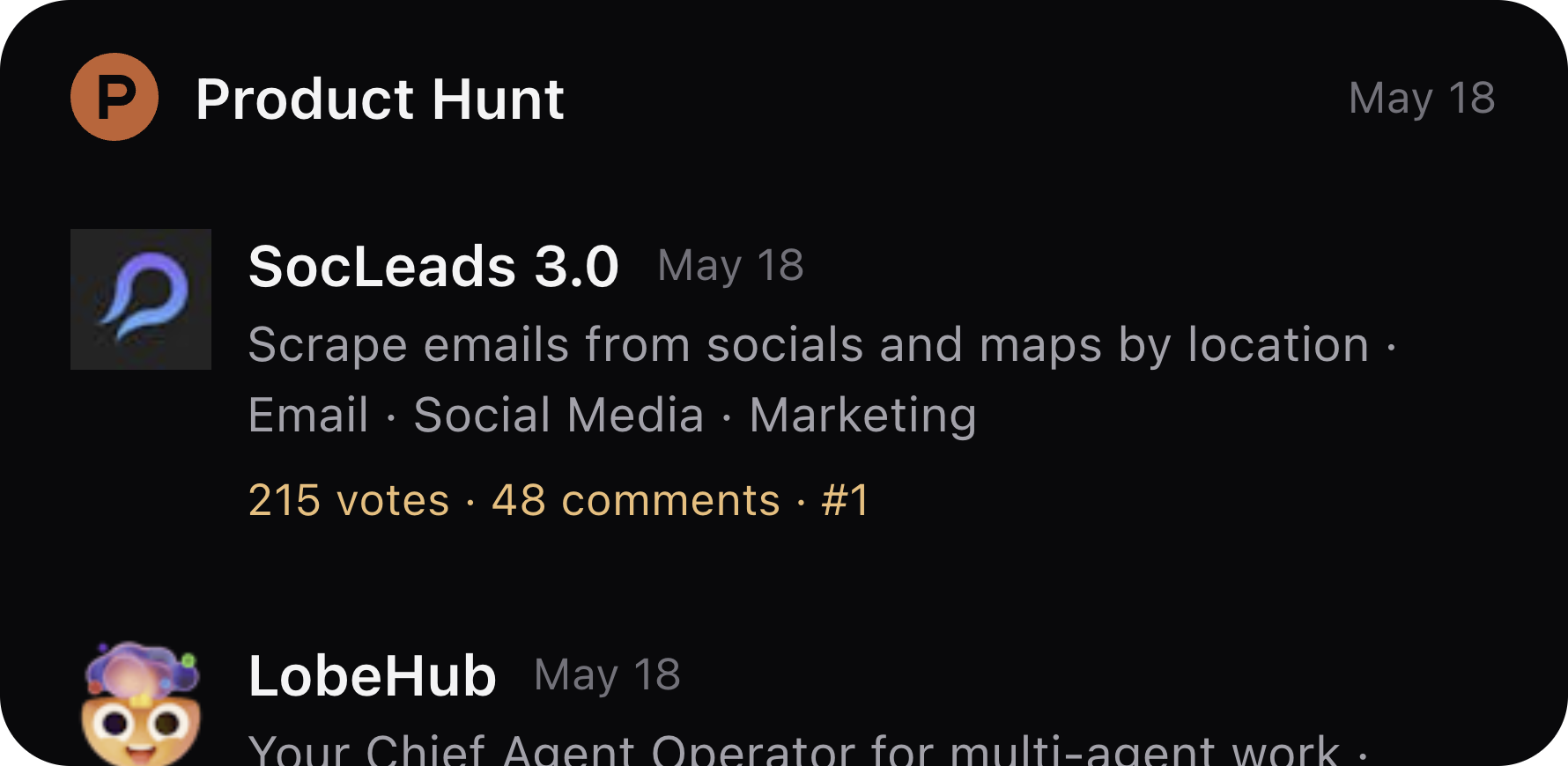
Show recent Product Hunt launches with product names, descriptions, links, and richer launch details when available.
Who needs a Product Hunt launch widget
Founders can watch adjacent products. Builders can scan tool trends. Product marketers can keep an eye on messaging, categories, and launch patterns.
The widget is most useful when Product Hunt is one signal in your day, not the main place where you want to spend your attention.
Product Hunt Feed: recent launches in one widget
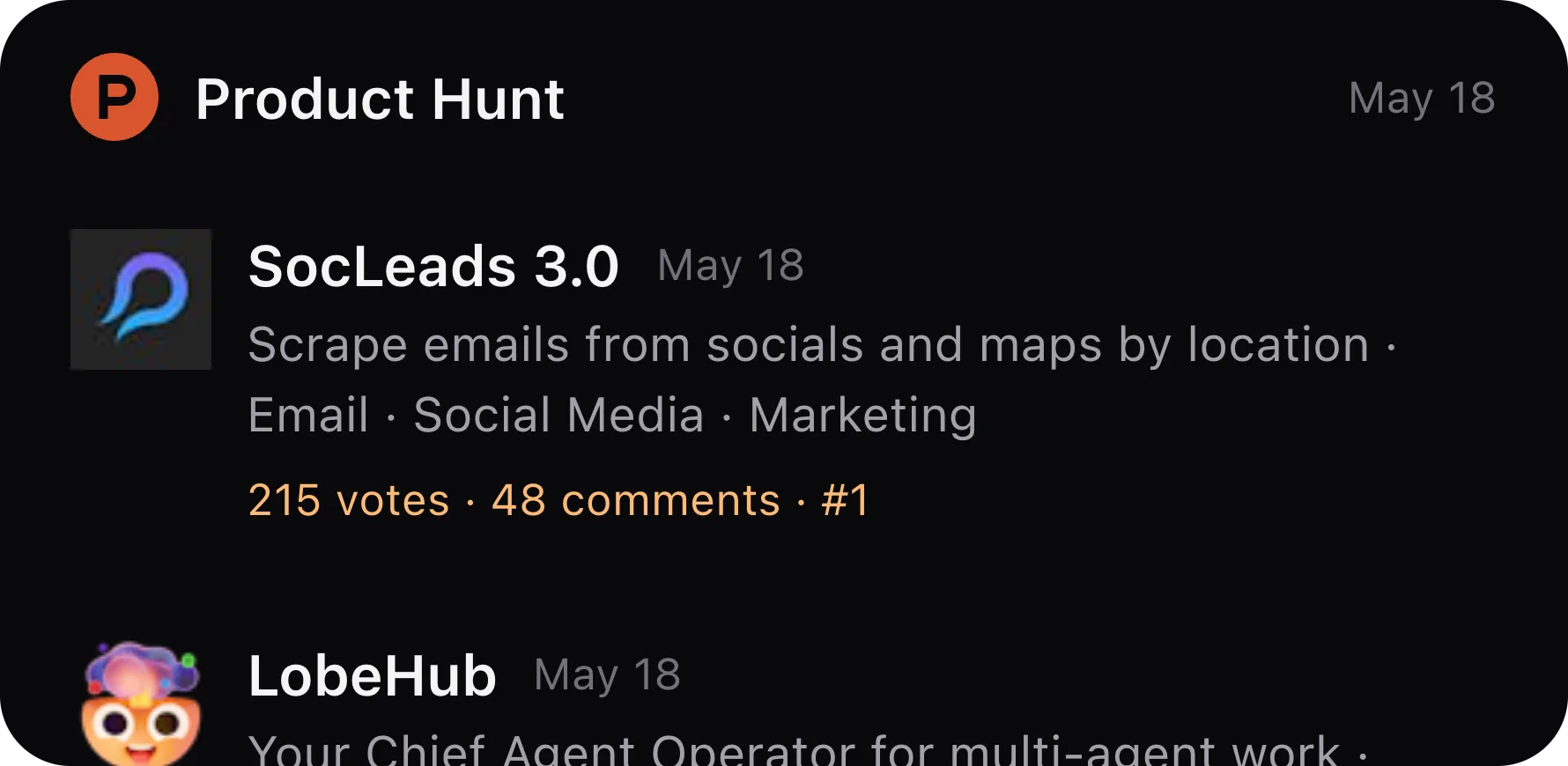
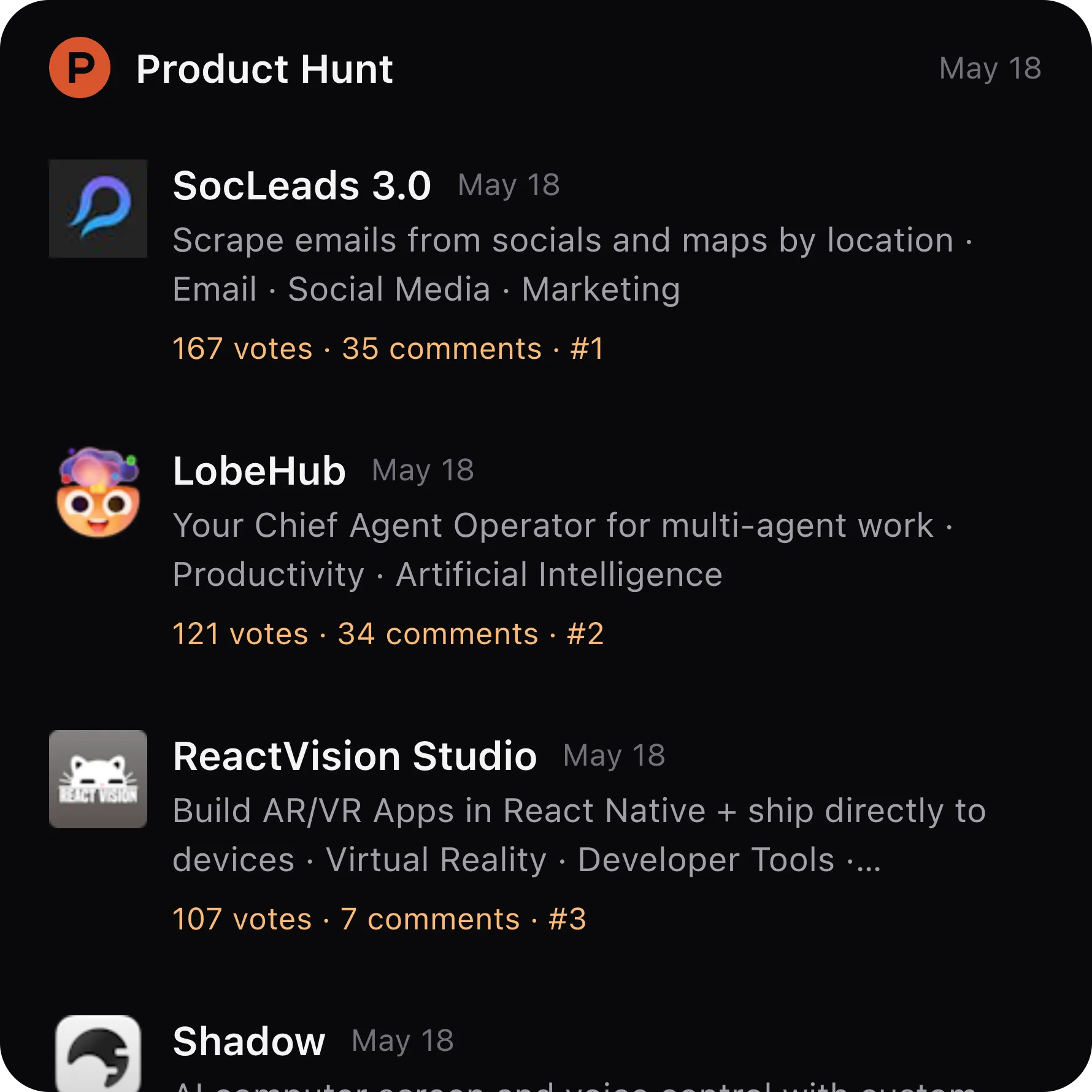
Product Hunt Feed shows recent Product Hunt launches from the public Product Hunt web page. Rows focus on product title, tagline, and the Product Hunt destination link.
When Product Hunt exposes richer fields, the widget can show product icons, comments, ranks, topics, makers, and launch links. If Product Hunt asks for manual verification, the widget shows an action to open Product Hunt and continue after verification.

Manual verification when Product Hunt requires it
Product Hunt can sometimes require browser verification before the page can be read. The widget handles that as a visible state rather than silently pretending the feed is empty.
When verification is required, open Product Hunt from the widget, finish the browser check, and close the browser. Kepo refreshes the widget after that user-triggered step.
Keep Product Hunt for the full product page
The widget is a launch discovery surface, not a replacement for Product Hunt. Click through when a launch is worth reading, upvoting, commenting on, or researching more deeply.
That keeps the desktop view focused: enough information to decide, not a second full Product Hunt tab.
Product Hunt desktop widget FAQ
Can I view Product Hunt launches on my desktop?
Yes. Product Hunt Feed shows recent Product Hunt launches inside a Kepo desktop widget.
Does the Product Hunt widget require login?
No Product Hunt account login is required by the plugin design, but Product Hunt may require browser verification before the page can be read.
What details can the Product Hunt widget show?
It shows launch titles, taglines, and links. When Product Hunt exposes richer fields, it can also show product icons, comments, ranks, topics, makers, and launch metadata.
Does Kepo replace Product Hunt?
No. Kepo helps you scan launches. Product Hunt remains the place to read product pages, join discussions, and take community actions.
Related Mac Desktop Widgets Resources
Explore more Mac desktop widgets and curated guides to run alongside this widget in Kepo:
Product Hunt remains where you inspect the launch and community discussion.
Kepo keeps the discovery feed close enough to scan during the workday.
For founders, builders, and researchers, that smaller surface is often all the daily check needs.
Stay informed with Kepo on your desktop
Embed interactive widgets, monitor dynamic sites, track APIs, and run ambient AI agents right on your macOS desktop.
Related Articles
View all posts →GitHub widgets for developers
The Kepo GitHub plugin turns common GitHub checks into focused desktop widgets for builders who need to stay aware without living in browser tabs.
Developer Tools desktop widgets
The Kepo Developer Tools plugin turns small developer checks into desktop widgets so JSON, JWTs, regex tests, hashes, timestamps, cron schedules, colors, diffs, and UUIDs stay one glance away.
Google Search Console desktop widget
The Kepo Google Search Console plugin turns repeated SEO checks into a small desktop view for the sites you watch every day.
X desktop widgets
The Kepo X plugin turns repeated Twitter checks into focused desktop widgets for social listening and daily account monitoring.