Best macOS widgets according to Reddit: what people keep and what they miss
Reddit threads reveal two truths about Mac widgets: people keep tools that answer repeated checks at a glance, and they quickly outgrow Apple’s static built-in gallery. Here is the distilled Reddit setup and how Kepo fills the gap.
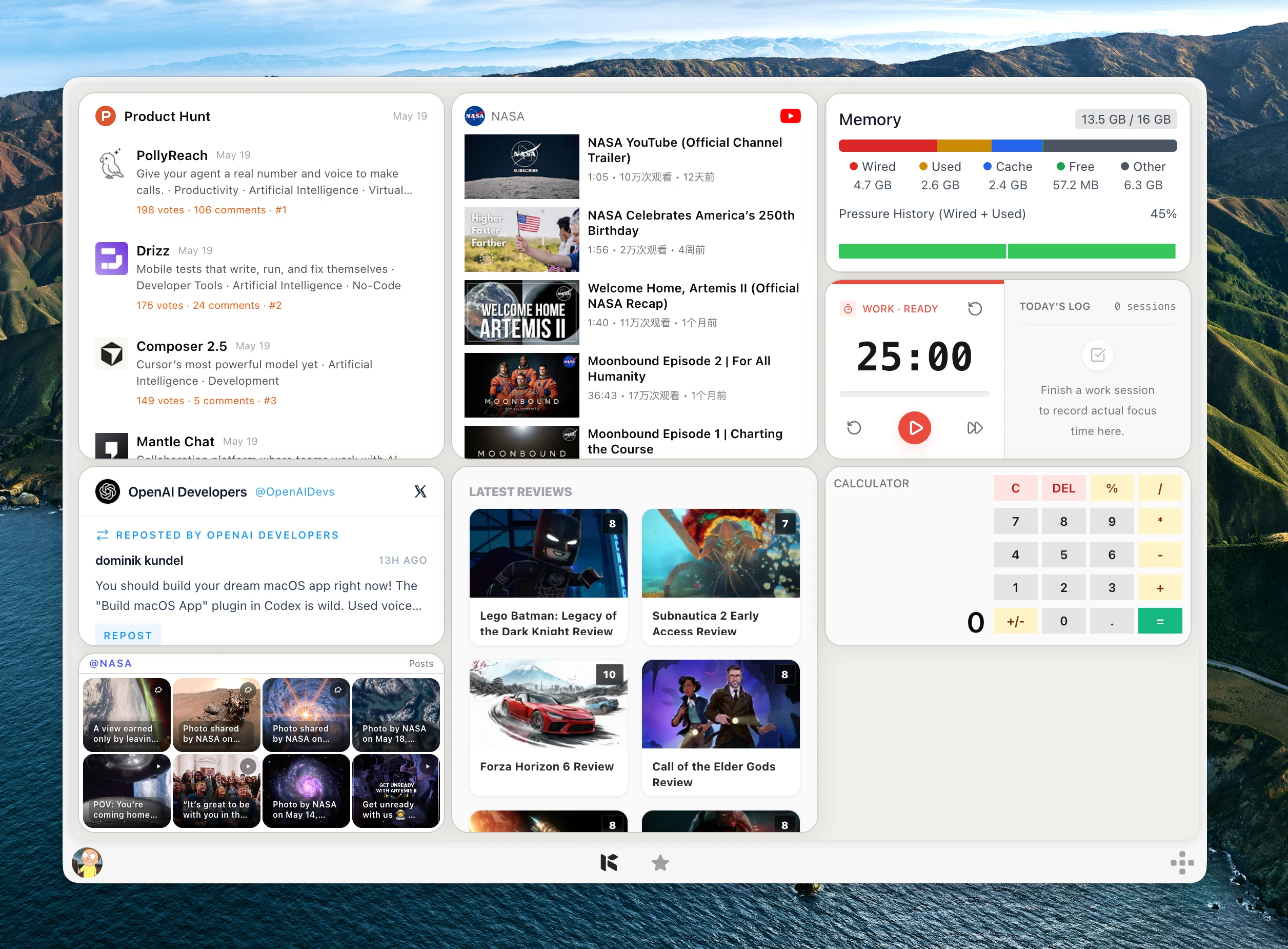
Across hundreds of discussions on r/MacOS, r/mac, and r/macapps, the advice on desktop widgets is surprisingly consistent: keep it small, glanceable, and tied to daily actions. The native essentials people actually keep come down to three basics: Calendar, Reminders, and Batteries.
However, the most upvoted complaint on Reddit is almost always the same: Apple’s native widget gallery is rigidly limited. It only shows data from installed Apple apps, offers zero web monitoring, and cannot display live Reddit discussions, GitHub releases, RSS feeds, or custom work dashboards without endless browser tabs.
The ideal Reddit setup combines native basics for schedule and battery with Kepo for real-time web monitoring, Reddit tracking, and custom work signals.
Create it with Kepo AI
The ideal Reddit setup combines native basics for schedule and battery with Kepo for real-time web monitoring, Reddit tracking, and custom work signals.
Key solutions at a glance The main decisions from this guide, condensed into one table.
The native essentials Reddit users actually keep
When Reddit users prune their desktops after the initial novelty wears off, only widgets that prevent app switching survive the one-week test. The consensus starting set includes:
• Calendar: Today and tomorrow’s agenda right on the desktop so you never miss a meeting. • Batteries: Real-time charge levels for MacBook, AirPods, mouse, and keyboard without clicking menu bars. • Reminders: A concise task checklist that keeps current priorities top of mind.
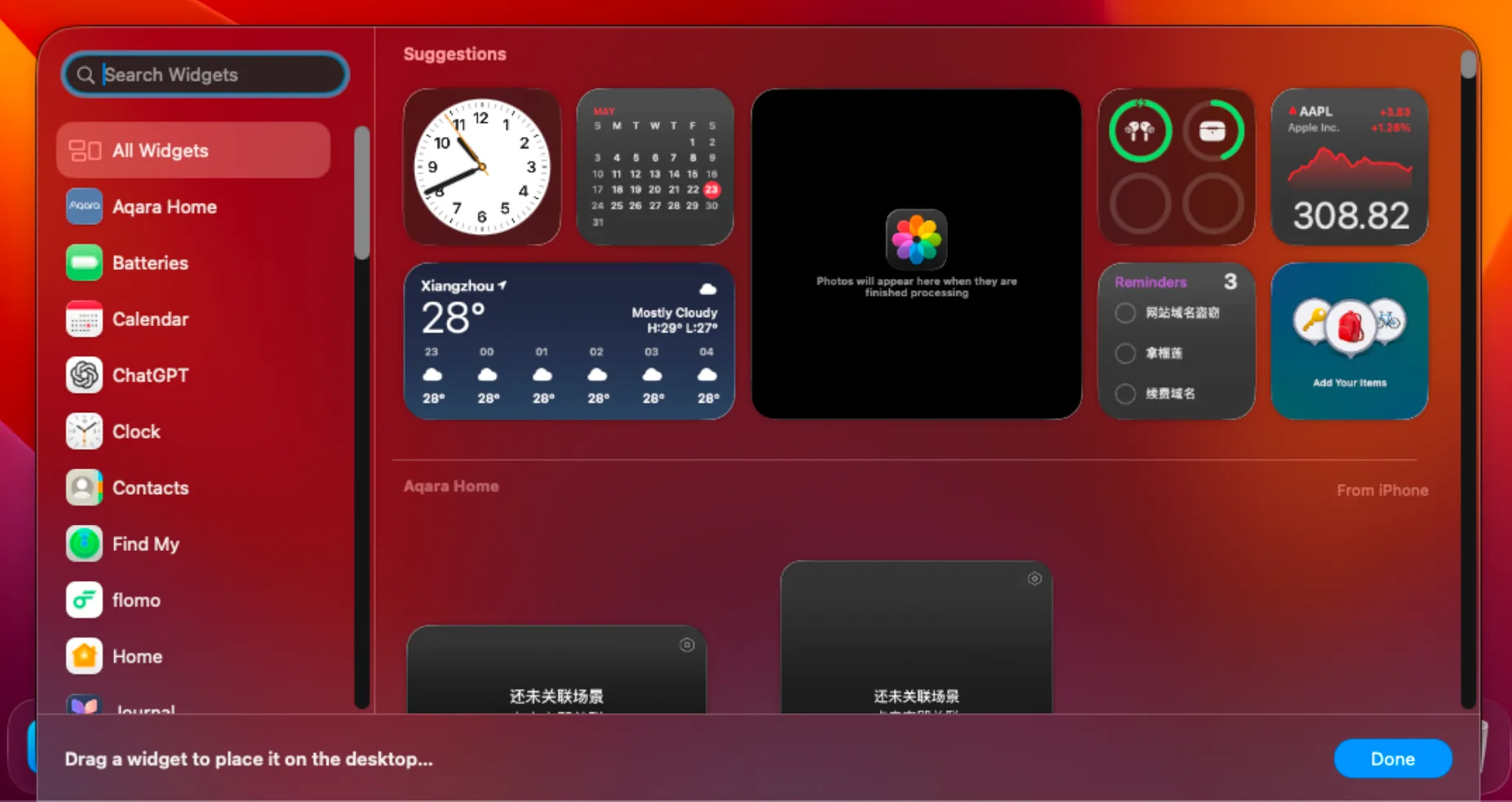
The Reddit dilemma: where Apple’s native widgets stop
While Calendar and Batteries are great, Reddit threads are filled with requests like: “Can I pin a live Reddit thread or community search to my desktop?”, “How do I monitor a website without keeping 10 tabs open?”, and “Is there a widget for GitHub releases or RSS feeds?”.
Apple’s widget system cannot answer these questions because it is strictly app-bound. Unless a developer builds a dedicated native Mac app with widget extensions, you are forced to manually refresh browser tabs or clutter your desktop with sticky notes.
Why Reddit power users use Kepo for custom desktop widgets
This is where Kepo has become the go-to desktop companion for Mac power users, developers, and researchers. Kepo turns any live web data, community search, or online workflow into an interactive, beautifully framed Mac desktop widget powered by ambient AI agents.
Instead of opening and refreshing tabs all day, Kepo runs lightweight widgets directly on your desktop or secondary monitor:
• Reddit Community Widget: Pin specific subreddits (like r/macapps, r/technology, or your industry niche) to monitor trending posts, discussions, and sentiment in real time. • Web Monitor Widget: Track website changes, price drops, status pages, or announcements with automatic glanceable updates. • GitHub & RSS Widgets: Stream repository releases, PR reviews, and filtered news feeds directly to your wallpaper.
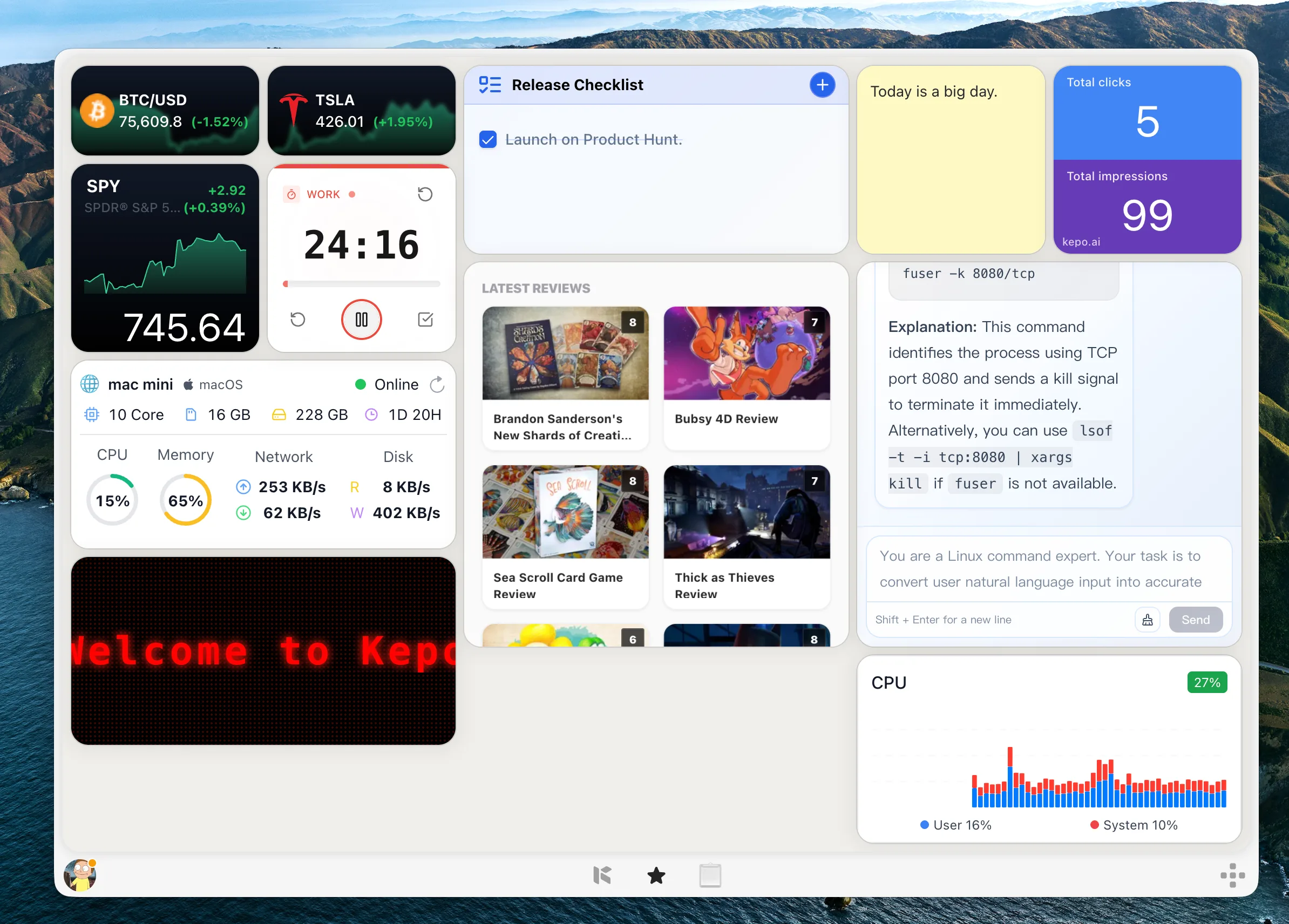
Explore these dedicated Kepo widget solutions for your Mac setup:
Three battle-tested Mac setups from Reddit
1. The Focused Daily Driver: Native Calendar and Battery widgets on the left, paired with a Kepo task or focus widget. Clean, zero distractions, answers immediate schedule questions.
2. The Community & Market Tracker: Native Weather and Battery on your main screen, plus a secondary monitor featuring Kepo widgets for live Reddit community research, Product Hunt launches, and industry RSS feeds.
3. The Developer Dashboard: Native Calendar alongside Kepo GitHub PR tracker, server status monitor, and terminal/API health widgets.
Best macOS widgets according to Reddit FAQ
What macOS widgets does Reddit recommend most?
For built-in Apple tools, Reddit users recommend Calendar, Batteries, Reminders, and Weather. For tracking web content, Reddit communities, RSS feeds, and GitHub, power users recommend Kepo.
Can I monitor Reddit threads directly on my Mac desktop?
Apple does not offer a native Reddit widget, but you can use Kepo to create a glanceable Reddit widget for any subreddit, keyword search, or community feed on your desktop.
How do I add custom web widgets that Apple does not provide?
Download Kepo for Mac. It lets you generate custom glanceable widgets from any website, API, RSS feed, or online workflow in seconds without coding.
Should widgets go on the desktop or in Notification Center?
Reddit users recommend desktop placement if you have a large screen or second monitor where wallpaper is regularly visible. Use Notification Center if you prefer an empty wallpaper.
The best macOS desktop setup is not about packing your wallpaper with widgets—it is about keeping the exact few signals that prevent repeated app switching.
Use Apple native widgets for Calendar and Batteries, and use Kepo to bring live Reddit feeds, web monitors, and work tools onto your Mac.
Stay informed with Kepo on your desktop
Embed interactive widgets, monitor dynamic sites, track APIs, and run ambient AI agents right on your macOS desktop.
Related Articles
View all posts →Mac productivity widgets for repeated checks
Mac productivity is not only about faster commands. It is also about reducing the repeated checks that interrupt deep work.
Custom Mac widgets for the sources you keep checking
Native macOS widgets are great when an app already gives you what you need. Kepo covers the rest — including the web pages and feeds people used to wish old Mac OS X widgets could handle.
Website widget for Mac
Not every website gives you RSS, a native Mac widget, or a useful notification channel. Kepo gives repeated website checks a smaller desktop surface.
RSS widget for Mac and desktop RSS ticker
An RSS reader is the right place to read and organize many feeds. An RSS widget is for a smaller job: seeing whether one important source changed.