Custom Mac widgets for the sources you keep checking
Native macOS widgets are great when an app already gives you what you need. Kepo covers the rest — including the web pages and feeds people used to wish old Mac OS X widgets could handle.

Kepo is a Mac widget app for custom desktop widgets. In plain terms: if there is something you keep checking — an RSS feed, a website, a GitHub repository, a price, a status page, a task list, a timer, a small tool, an internal page — Kepo turns it into a focused widget that lives in a shortcut-accessible panel.
Native macOS widgets already cover a lot, and when an app gives you the widget you need, use it. Kepo is for the rest of your work: the page you keep refreshing, the feed you monitor, the repository you follow, the status page you check one more time before lunch.
Reach for Kepo when you need a custom Mac desktop widget for a specific source — not just another generic widget.
Create it with Kepo AI
Reach for Kepo when you need a custom Mac desktop widget for a specific source — not just another generic widget.
Key solutions at a glance The main decisions from this guide, condensed into one table.
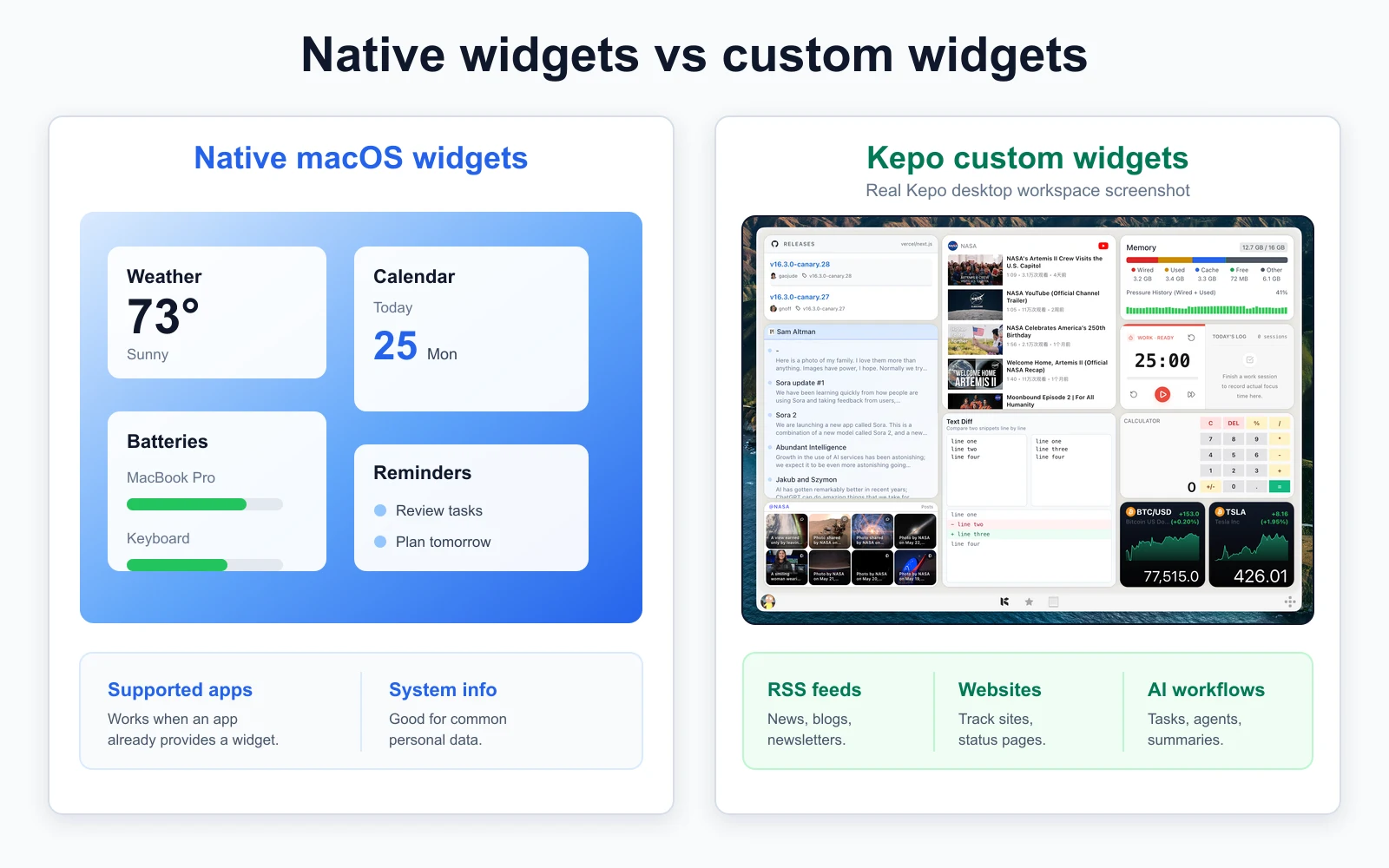
Native macOS widgets and Kepo custom widgets are different
When people search for Mac widgets, they usually mean one of two things. The first is Apple’s native widget system, where widgets come from apps that support macOS widgets. The second is a custom desktop widget: a small view built around a source you personally care about.
If you want the product-level view first, explore the main Mac desktop widgets guide and custom widget options.
Kepo lives firmly in the second category. It does not replace Apple’s native widget system or touch official app widgets — it gives you a way to create custom Mac widgets for sources that usually have no native widget at all.
Use native widgets when the widget already exists
Want a calendar widget, a weather widget, or a reminders widget? If the app already supports macOS widgets, Apple’s native widgets are the right starting point.
They are integrated into macOS, use the app’s official data, and handle common personal information well. Kepo is not trying to compete with that.
MacBook widgets are still Mac widgets
Searching for MacBook widgets, a widget app for MacBook, or widgets for MacBook? Good news: it is all the same category. MacBook Air, MacBook Pro, iMac, and Mac mini all run macOS, so what matters is the widget’s source, not the device on your desk.
The same rule applies here: use native macOS widgets when an app already provides one, and use Kepo for custom MacBook widgets — feeds, websites, GitHub, status pages, prices, tasks, timers, and small tools that never got a native widget.
What about Mac OS X widgets?
Plenty of people still type Mac OS X widgets, OS X widgets, or widgets Mac OS X when they mean desktop widgets for a Mac. The old Dashboard system is long gone from modern macOS, but the itch it scratched has not changed: keep a small piece of information visible without opening another full app or browser tab.
Kepo is built for modern macOS and does not resurrect legacy Dashboard widgets. What it does bring back is the idea — custom Mac desktop widgets for today’s web pages, feeds, GitHub repositories, status pages, prices, tasks, timers, and small tools.
So treat the old “widgets Mac OS X” search as a clue rather than a spec. Almost nobody misses the actual Dashboard runtime. What they miss is the quick glance — now pointed at modern sources such as RSS feeds, website updates, launch pages, repositories, and dashboards.
Use Kepo for custom widgets that do not already exist
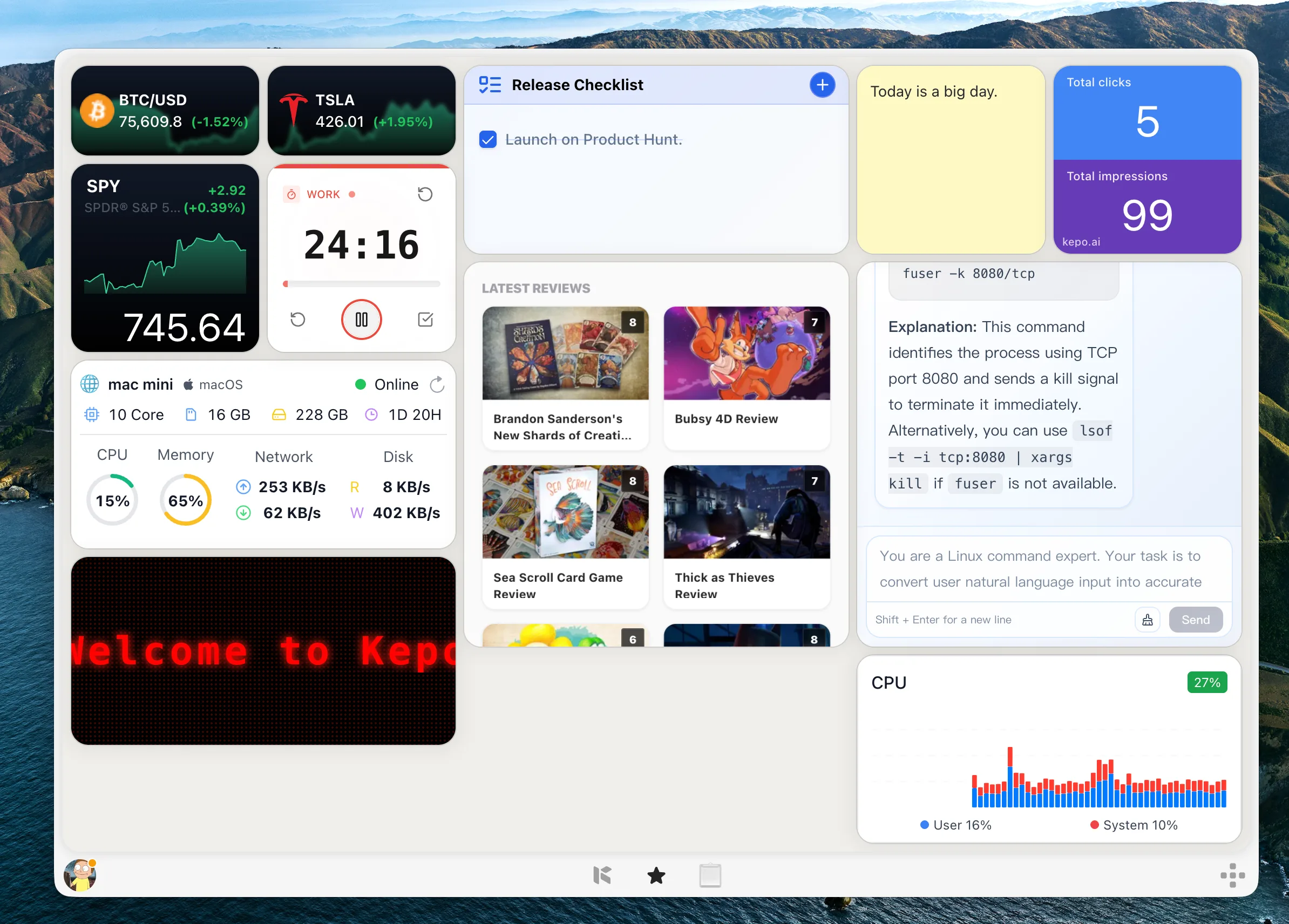
Kepo earns its keep when the source is specific to your work and nobody has built the exact widget you need: a Product Hunt category, a GitHub release feed, a website’s article list, a company status page, a price page, a timer, or an internal dashboard.
Checks like these are too niche for native macOS widgets, and too small to deserve a full app or a permanent browser tab. That is exactly the gap a focused desktop widget fills.
What you can turn into Mac desktop widgets
Kepo widgets are built around sources and repeated checks. You are not recreating a whole website inside a widget — you are keeping the useful part visible enough to decide, at a glance, whether it needs your attention.
Sources that work well: RSS feeds, websites without RSS, GitHub updates, prices, market data, status pages, incidents, tasks, timers, small tools, internal pages, and dashboards.
Why use a Mac widget app instead of another tab?
Tabs are great for reading, editing, buying, writing — the deep work. They are terrible for tiny repeated checks. If you keep opening the same page just to see whether anything changed, the browser is doing a job it was never built for.
A custom desktop widget shrinks that loop. The sweet spot is information that changes often enough to check, is small enough to summarize, and matters enough to keep near your work.
Mac widgets FAQ
Is Kepo a native macOS widget app?
No. Kepo is a Mac desktop app for custom widgets, separate from Apple’s native macOS widget system. Native widgets come from apps that support Apple’s widget surfaces, while Kepo creates and runs custom widgets in its own shortcut-accessible desktop panel.
How is Kepo different from Apple’s Mac widgets?
Apple’s Mac widgets work best when an app already provides an official widget. Kepo is for custom widgets built around RSS feeds, websites, GitHub repositories, status pages, prices, tasks, timers, and internal pages — sources that usually have no native widget.
Can I create custom Mac widgets from websites?
Yes. Kepo is designed for custom widgets built around web sources, including repeatable page areas such as latest posts, changelogs, release lists, rankings, announcements, product lists, and status pages.
Can I use widgets on a MacBook?
Yes. MacBook users get both native macOS widgets from supported apps and custom Kepo widgets for feeds, websites, GitHub, status pages, tasks, timers, and small tools.
What are the best widgets for MacBook?
Start with the built-in widgets for Calendar, Reminders, Weather, Batteries, Notes, and Clock. Then add custom MacBook widgets with Kepo for the things they miss: RSS feeds, website checks, GitHub updates, status pages, todo lists, and timers.
Are Mac OS X widgets still available on modern macOS?
No. The old Mac OS X Dashboard widget system is no longer part of modern macOS. If you are searching for Mac OS X widgets today, you probably want modern Mac desktop widgets — Kepo creates custom ones for web pages, feeds, repositories, status pages, and small tools.
What replaced Mac OS X Dashboard widgets?
Modern macOS has native widgets from supported apps, but they only cover the sources those apps expose. Kepo fills the gap when you want that Dashboard-style quick glance for custom sources such as websites, RSS feeds, GitHub, status pages, and internal tools.
Is Kepo a widget app for MacBook?
Yes. Kepo is a desktop app for custom Mac and MacBook widgets. It runs its own shortcut-accessible widget panel rather than changing Apple’s native widget system.
When should I use native macOS widgets instead of Kepo?
Use native macOS widgets whenever the app already provides the widget you need and Apple’s widget surface fits the job. Reach for Kepo when the source or workflow you care about has no good native widget.
Related Mac desktop widget guides
Continue with free widgets for Mac, the Mac desktop widgets hub, and the scenario guides for GitHub, websites, RSS, and system monitors.
Use native macOS widgets when the widget already exists.
Use Kepo when the widget is specific to your feed, website, repository, status page, price, task, timer, or internal workflow.
And keep each custom widget narrow — one repeated question, answered at a glance.
Stay informed with Kepo on your desktop
Embed interactive widgets, monitor dynamic sites, track APIs, and run ambient AI agents right on your macOS desktop.
Related Articles
View all posts →Best macOS widgets according to Reddit: what people keep and what they miss
Reddit threads reveal two truths about Mac widgets: people keep tools that answer repeated checks at a glance, and they quickly outgrow Apple’s static built-in gallery. Here is the distilled Reddit setup and how Kepo fills the gap.
Mac productivity widgets for repeated checks
Mac productivity is not only about faster commands. It is also about reducing the repeated checks that interrupt deep work.
Website widget for Mac
Not every website gives you RSS, a native Mac widget, or a useful notification channel. Kepo gives repeated website checks a smaller desktop surface.
RSS widget for Mac and desktop RSS ticker
An RSS reader is the right place to read and organize many feeds. An RSS widget is for a smaller job: seeing whether one important source changed.