Kepo vs Raycast: Mac desktop widgets vs command launcher
Raycast and Kepo both reduce context switching on Mac, but they solve different parts of the workflow.

Raycast is one of the strongest productivity launchers for Mac. It is fast, keyboard-first, extensible, and built for people who want to open apps, run commands, search tools, manage snippets, use quicklinks, control windows, and call AI without leaving the keyboard.
Kepo solves a different problem. It is not trying to replace the command palette. Kepo is for repeated checks that should stay visible: feeds, product launches, GitHub updates, YouTube notifications, website changes, market data, internal pages, and small AI-built desktop widgets.
Use Raycast when the workflow starts with a command. Use Kepo when the workflow starts with a source you keep checking.
Create it with Kepo AI
Use Raycast when the workflow starts with a command. Use Kepo when the workflow starts with a source you keep checking.
Key solutions at a glance The main decisions from this guide, condensed into one table.
What Raycast is good at
Raycast is best understood as a command center for your Mac. You summon it, type what you want, and run an action. That action might open an app, search a tool, launch a quicklink, paste a snippet, manage the clipboard, move a window, calculate something, or use an extension.
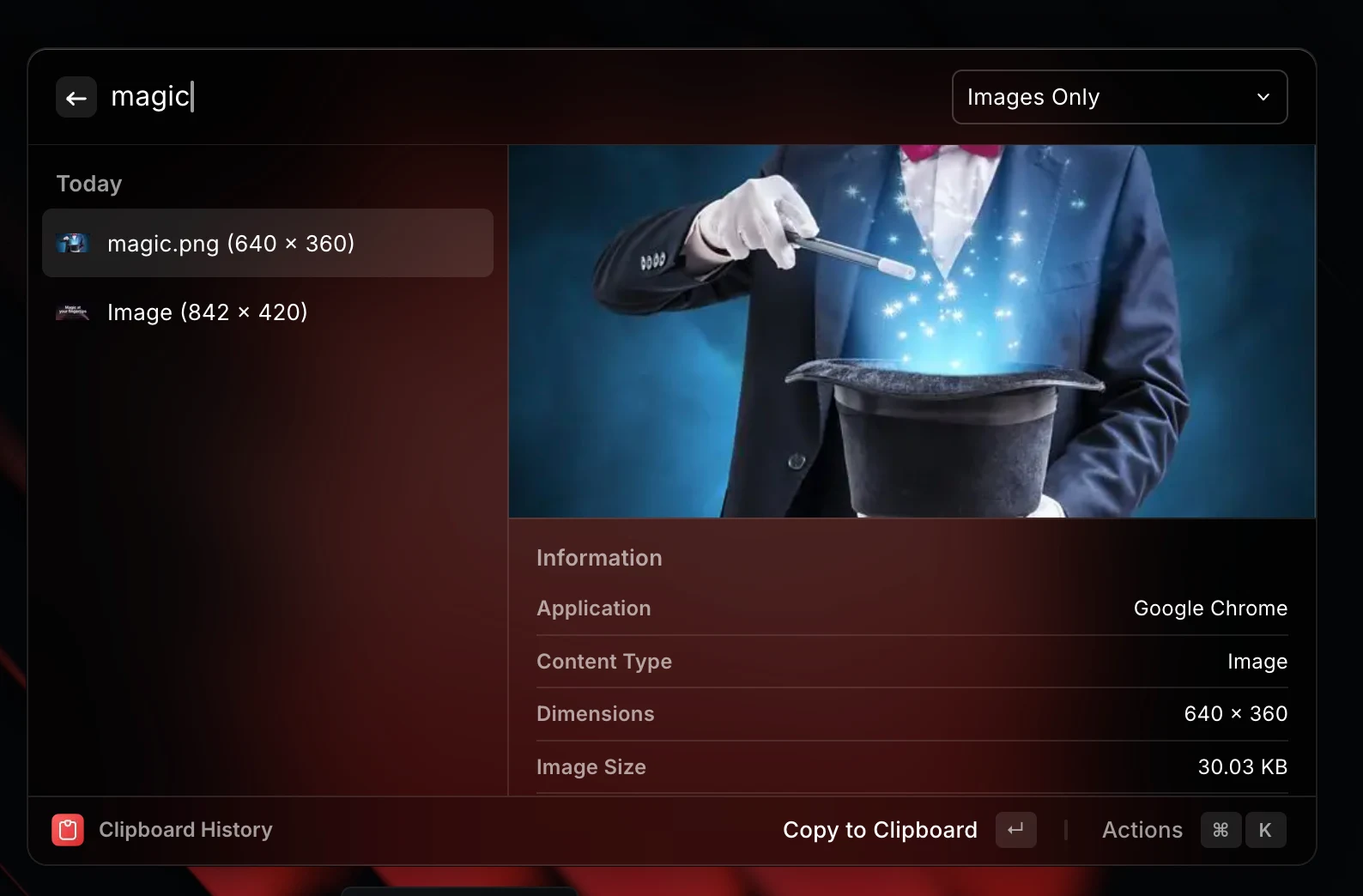
That makes Raycast excellent for intent-driven work. You already know the action you want, and Raycast helps you perform it faster than opening another app or browser tab.
Raycast also has a large extension ecosystem. If your workflow is already supported by an extension, Raycast can become a fast keyboard layer on top of tools such as issue trackers, browsers, design tools, calendars, notes, music apps, and developer services.
Where a launcher is not the same as a widget surface
A launcher is usually invoked when you want to do something. That is powerful, but it is different from keeping information visible. If you need to know whether a feed changed, a launch appeared, a status page moved, or a repository released something, the work still starts with checking.
For those workflows, the cost is not only the command. The cost is remembering to ask, opening the result, scanning it, then returning to the task you were doing before.
That is the gap Kepo is built around: repeated awareness checks that should be small, persistent, and easy to glance at while you work.
What Kepo changes
Kepo turns repeated web, feed, and status checks into Mac desktop widgets. Instead of opening a browser tab or running a command just to see whether something changed, you keep the useful part of the source in a focused widget.
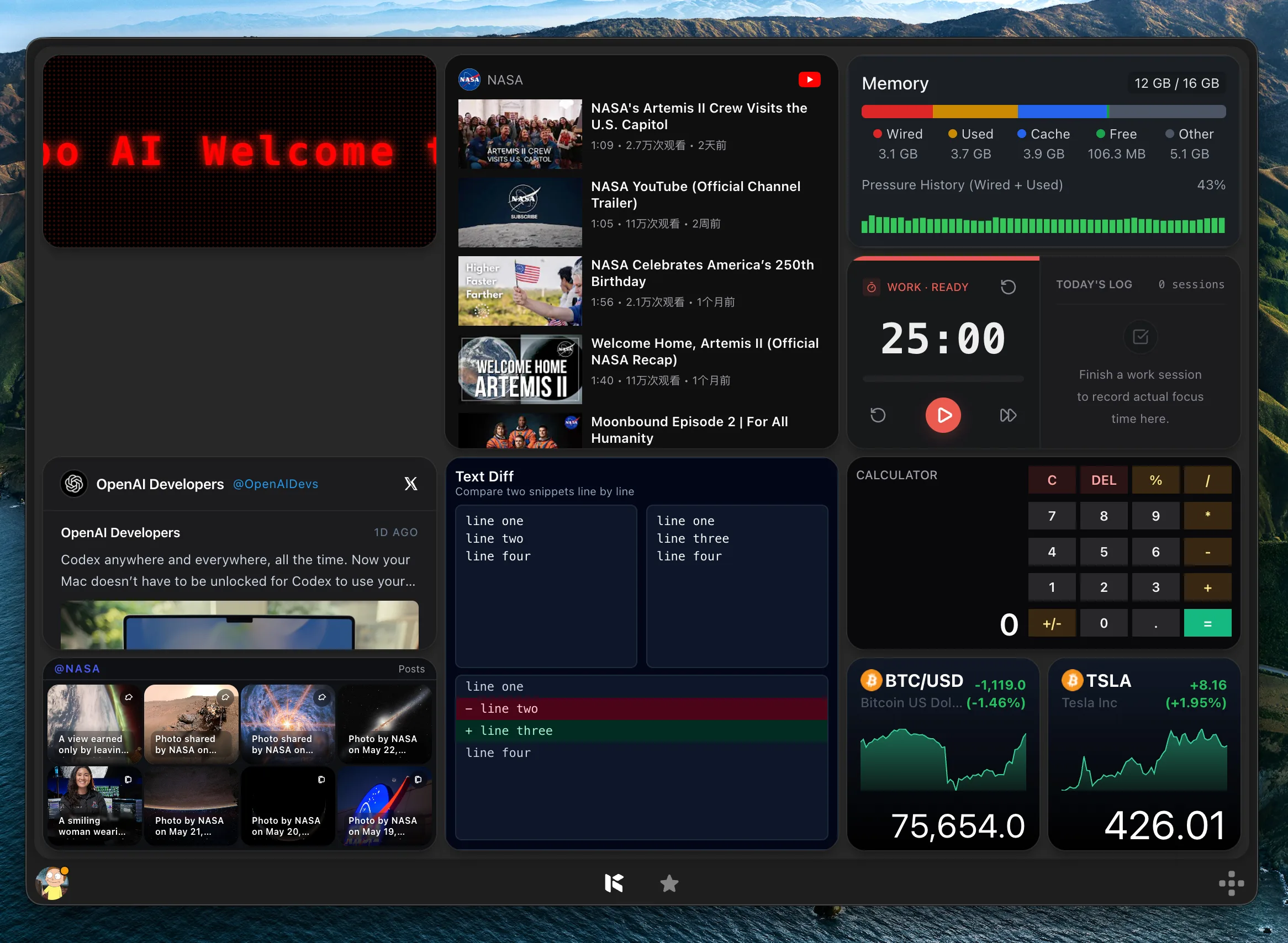
The important difference is the surface. Raycast is strongest as a command layer. Kepo is strongest as a visible panel of custom widgets that answer repeated questions before they become tab checks.
Kepo is especially useful when the source is specific to your work: a Product Hunt category, a YouTube channel, a GitHub repository, an RSS feed, a status page, an internal admin page, a competitor changelog, or a page section that does not offer a native Mac widget.
Use Raycast for commands, shortcuts, and extensions
Choose Raycast when your main problem is speed of action. App launching, file search, clipboard history, snippets, quicklinks, calculator commands, window management, AI commands, and extension workflows are natural Raycast jobs.
Raycast also makes sense when a task has a clear verb: create an issue, search a page, translate text, paste a saved snippet, open a meeting, move a window, run a script, or trigger an extension command.
If you can describe the workflow as “I want to run this action faster,” Raycast is usually the better first choice.
Use Kepo for repeated checks that should stay visible
Choose Kepo when your main problem is repeated attention. Did this feed update? Did a new product launch? Did a YouTube channel publish? Did a GitHub repository release? Did this website section change? Is there a new item worth opening?
Those questions do not always need a command. They need a small, reliable place on the desktop where the answer can sit until it matters.
That is why Kepo works well for RSS widgets, social and community widgets, Product Hunt widgets, YouTube widgets, GitHub widgets, price or market widgets, website monitors, and internal page checks.
Raycast vs Kepo: the practical split
The cleanest comparison is not “which app is better?” It is “what kind of attention problem do you have?” Raycast reduces the friction of executing actions. Kepo reduces the friction of noticing changes in sources you care about.
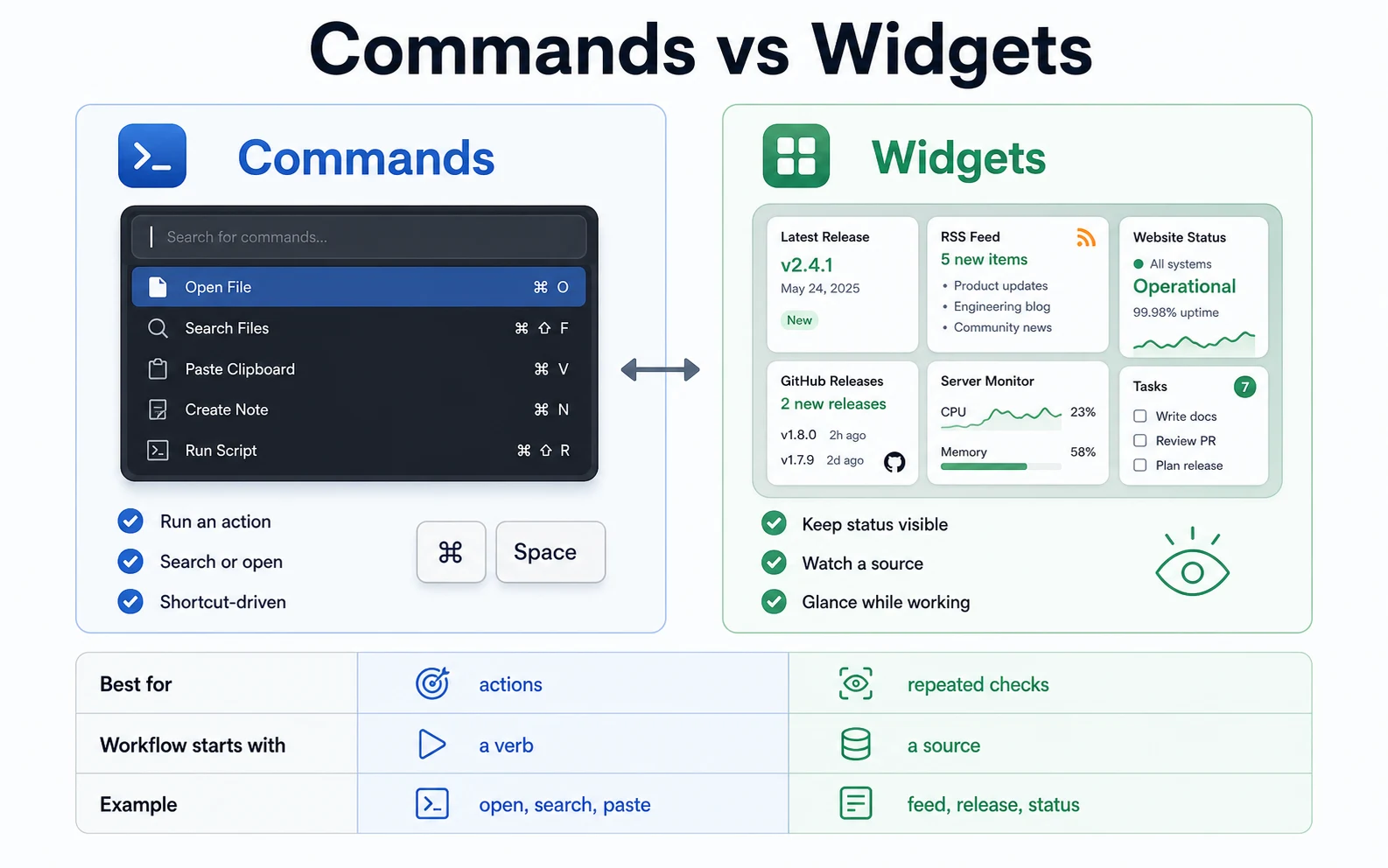
Use Raycast when the workflow begins with a verb: open, search, paste, run, create, move, translate, calculate, ask, or trigger. Use Kepo when the workflow begins with a source: this feed, this page, this repository, this channel, this launch list, this status view, or this internal tool.
Many Mac users should not replace one with the other. Raycast can remain the keyboard command center. Kepo can hold the custom widgets that would otherwise become repeated browser tabs.
Can you use Raycast and Kepo together?
Yes. The strongest setup is often both. Raycast handles fast commands and extension actions. Kepo keeps repeated signals visible in a desktop panel, so you do not need to ask for the same information again and again.
For example, you might use Raycast to open apps, paste snippets, search files, run scripts, and trigger AI commands. At the same time, Kepo can show a Product Hunt launch feed, a YouTube channel widget, an RSS research feed, a GitHub release widget, and a website monitor.
That split keeps each tool in its best role: Raycast for action, Kepo for awareness.
Raycast alternative FAQ
Is Kepo a Raycast alternative?
Kepo is a Raycast alternative only for repeated desktop widget and monitoring workflows. It is not a full replacement for Raycast launcher features such as app search, snippets, clipboard history, quicklinks, window management, or extension commands.
When should I use Raycast instead of Kepo?
Use Raycast when you want a keyboard-first command launcher for apps, commands, extensions, snippets, quicklinks, clipboard history, window management, and one-off AI actions.
When should I use Kepo instead of Raycast?
Use Kepo when you keep checking the same web page, feed, product list, video channel, repository, status page, market view, or internal page and want that information to stay visible as a Mac desktop widget.
Can Raycast create Mac desktop widgets from websites?
Raycast is built around commands, extensions, search, and AI actions. If you want persistent custom widgets from websites, feeds, monitors, and repeated page checks, Kepo is designed for that desktop widget use case.
Can I use Kepo and Raycast together?
Yes. Use Raycast as the keyboard command center and Kepo as the desktop widget panel for repeated information checks.
Raycast makes Mac actions faster.
Kepo makes repeated signals visible.
If your problem is command speed, start with Raycast. If your problem is checking the same sources all day, add Kepo.
Stay informed with Kepo on your desktop
Embed interactive widgets, monitor dynamic sites, track APIs, and run ambient AI agents right on your macOS desktop.
Related Articles
View all posts →Best RSS readers for Mac: reader apps vs desktop RSS ticker widgets
The best RSS setup for Mac depends on whether you want to read many feeds or keep a few work signals visible on your desktop.
Kepo vs macOS widgets: custom AI widgets for Mac
The macOS widget gallery is the right place to start, but it can only show widgets that supported apps already provide.
Kepo vs browser tab managers: AI widgets instead of more tabs
Tab managers and desktop widgets both reduce browser clutter, but they do it from opposite directions.
WidgetGrid vs Live-Source Shortcut Panel Widgets on Mac
Compare WidgetGrid-style always-on Mac desktop engines with shortcut-panel widgets for websites, RSS, and APIs — when to embed a page, when to focus a signal.