14 Days From Today
Add fourteen calendar days, check the same-weekday result, and avoid counting today twice.
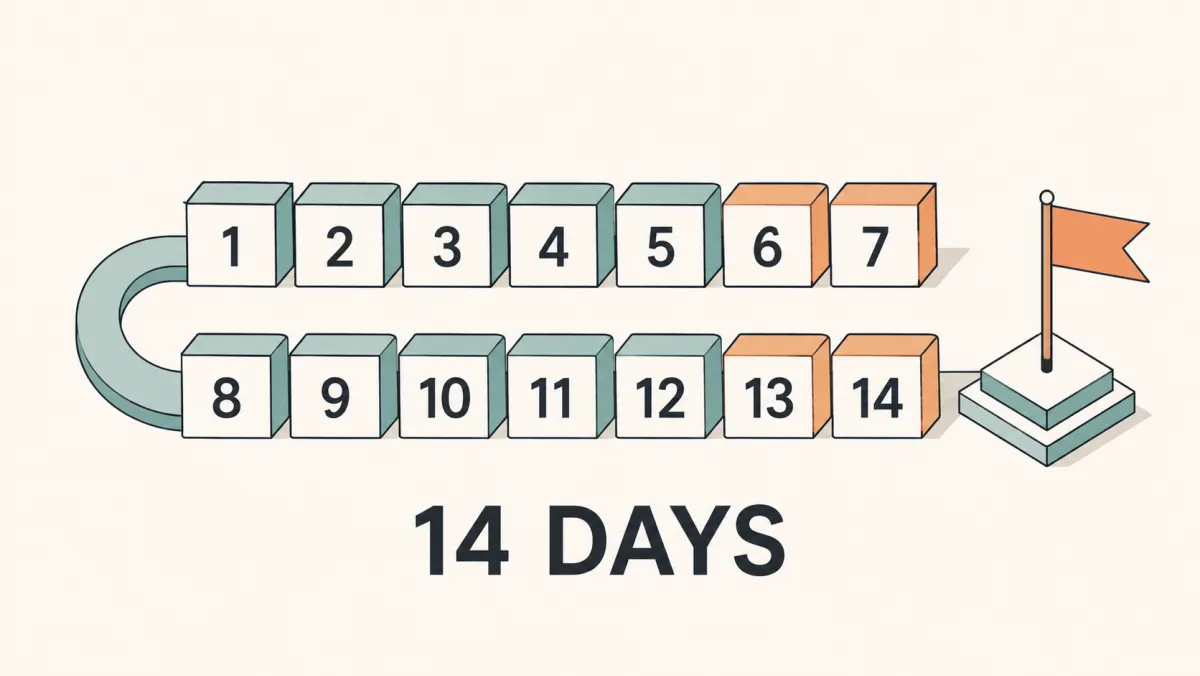
To find 14 days from today, add fourteen calendar dates with today as day zero. Fourteen days is exactly two calendar weeks, so the result has the same weekday as the start. The calculator below begins with fourteen days and shows the target date, weekday, and ISO value.
Add 14 calendar days, with today as day zero. Weekends and holidays count toward the date unless you explicitly choose weekday counting.
Best solution
To find 14 days from today, add fourteen calendar dates with today as day zero.
Starts at 14 calendar days ahead. Copy the result or compare weekday-only counting. Public holidays are not deducted.
Sep 21, 2026
Target: 2026-09-21
10 days
4 days

Opens the Kepo download page; this calculation or file is not transferred.
Key solutions at a glance The main decisions from this guide, condensed into one table.
Use the Calculator
The input starts at 14 days. Keep Direction on From Today to move forward, or select Before Today to move backward. The result names the target date and weekday, shows an ISO date in year-month-day order, and identifies the starting date and time zone. Copy Date saves those details together.
Keep Workdays off for the calendar-date answer. Turning it on advances until the requested number of Monday-to-Friday dates has been counted, which usually gives a later date. The weekday total in the result card is a count of dates, not a prediction of available working capacity.
The server initially calculates using the displayed UTC date. Once the browser loads, the tool uses your device’s local date and time zone, checking again while the page remains open. Near midnight, these can differ by a day. Read the displayed starting date before comparing the answer with a colleague elsewhere.
Worked Example: September 6 to September 20, 2026
Take Sunday, September 6, 2026 as the fixed start for this example. Fourteen calendar days later is Sunday, September 20. The example is a reference for checking the method; it is not the current answer on dates other than the stated start.
Step 1: Move forward seven dates, starting with September 7 as day one. Day seven is September 13, another Sunday. This completes the first week without counting September 6 a second time.
Step 2: Move forward seven more dates. September 14 is day eight and September 20 is day fourteen. The weekday returns to Sunday because a whole number of seven-day cycles has passed.
Step 3: Verify with subtraction: 20 − 6 = 14 within the same month. Across a month boundary, count the remaining dates in the first month and the required dates in the next rather than subtracting day numbers alone.
Fourteen-Day Examples Across Calendar Boundaries
The same rule works near a month or year boundary. These are fixed examples, not alternate dates for today. Each row adds fourteen dates and preserves the weekday, giving you two independent ways to check a result.
| Start date | Target date | Boundary being checked |
|---|---|---|
| September 6, 2026 | September 20, 2026 | Within one month |
| September 25, 2026 | October 9, 2026 | Across September and October |
| February 20, 2026 | March 6, 2026 | Common-year February |
| February 20, 2028 | March 5, 2028 | Leap-year February |
| December 25, 2026 | January 8, 2027 | Across a year boundary |
In the September 25 example, five added dates take you to September 30, then nine more reach October 9. Do not use September 39 as a calendar label: the added count rolls through the real month boundary.
February shows why manually reusing last year’s month-and-day answer can be wrong. The extra February date in a leap year moves the resulting March day number, even though the added count is still fourteen. Use the year as part of every date input.
Fourteen Calendar Days versus Fourteen Weekdays
Every consecutive fourteen-date block contains exactly ten Monday-to-Friday dates and four weekend dates. This does not depend on whether the block begins on a Monday, Sunday, or another weekday: two complete seven-day cycles include each weekday twice.
Ten weekdays does not necessarily mean ten working days. A holiday, a different weekend pattern, or leave can reduce your actual schedule. The result card uses Monday through Friday and does not apply a country-specific holiday calendar.
Turning on Workdays changes the question to fourteen counted weekdays. For the September 6, 2026 start, that mode reaches Thursday, September 24, rather than September 20. The added dates are counted one by one, skipping Saturday and Sunday.
If you need a fourteen-day countdown, leave Workdays off and save the calendar target. If you need a schedule of fourteen eligible workdays, establish the applicable holiday rules first. Do not treat the toggle as a universal business-calendar switch.
Why a Fourteen-Day Period Can End Thirteen Days Away
Adding fourteen days excludes the starting date. A list of fourteen included dates beginning today is different: today is the first entry, so the last entry is thirteen days after today. This is the common source of apparently conflicting two-week answers.
For the September 6 example, a fourteen-date period including the start runs through September 19. A date fourteen days after the start is September 20. Both can be reproduced, but they should not be given the same label.
A date-only calculation also differs from measuring 336 elapsed hours. Fourteen multiplied by twenty-four is 336, but a clock change can make the elapsed hours between two local midnights different. Use calendar addition for dates; use an explicit time-zone-aware timestamp calculation for an hourly requirement.
For repeat reminders, record the first target and advance from it rather than generating a new target whenever you visit the page. That keeps the schedule anchored. You can switch to the week-based page if you prefer entering the number of weeks directly.
Save the Result and Explore Other Intervals
For a real milestone, save the resulting date rather than just the interval length. Repeating a fresh calculation tomorrow moves the target forward; it does not count down to the target you saved today. Keep the original date if you want to monitor the remaining time.
Kepo offers Mac desktop widgets for repeated checks. The download link opens the app download page and does not automatically import this result or create a configured countdown. Keep a copy of the target date and counting rule when you explore a desktop workflow.
Choose another interval, or compare two dates you already know.
Frequently Asked Questions
Is 14 days from today exactly two weeks?
Yes for calendar-date addition. Both add fourteen calendar dates and preserve the weekday. A period that includes today as its first counted date uses a different endpoint rule.
Will the result be the same weekday?
Yes. Fourteen is divisible by seven, so calendar-day addition returns to the same weekday. A weekday-only mode is a different calculation and does not have that guarantee.
How many business days are in fourteen days?
There are ten Monday-to-Friday dates in a consecutive fourteen-date block. Actual business days depend on the applicable holiday calendar and workweek.
14 days from today advances two full calendar weeks from the displayed start.
Keep calendar days, included dates, and weekdays separate when recording the result.
Stay informed with Kepo on your desktop
Embed interactive widgets, monitor dynamic sites, track APIs, and run ambient AI agents right on your macOS desktop.
Related Articles
View all posts →90 days from today: calculate the exact date
Find the date 90 days from today with the calculator below. See a worked example, compare calendar days with weekdays, and understand why three months can give a different answer.
30 Days From Today
Calculate a date thirty days ahead, then check why a calendar month can end on a different day.
60 Days From Today
Find a date sixty days ahead and distinguish it from two calendar months or sixty weekdays.
2 Weeks From Today
Move forward two calendar weeks and preserve the weekday while checking the target date.