How to Find Your Router IP Address
On a Mac, open System Settings, select the active network connection, open Details and inspect TCP/IP for the Router value. On Windows, inspect the active adapter’s Default Gateway using ipconfig. These are local gateway settings, not the public IP shown by a website. A browser page cannot reliably read them for you.
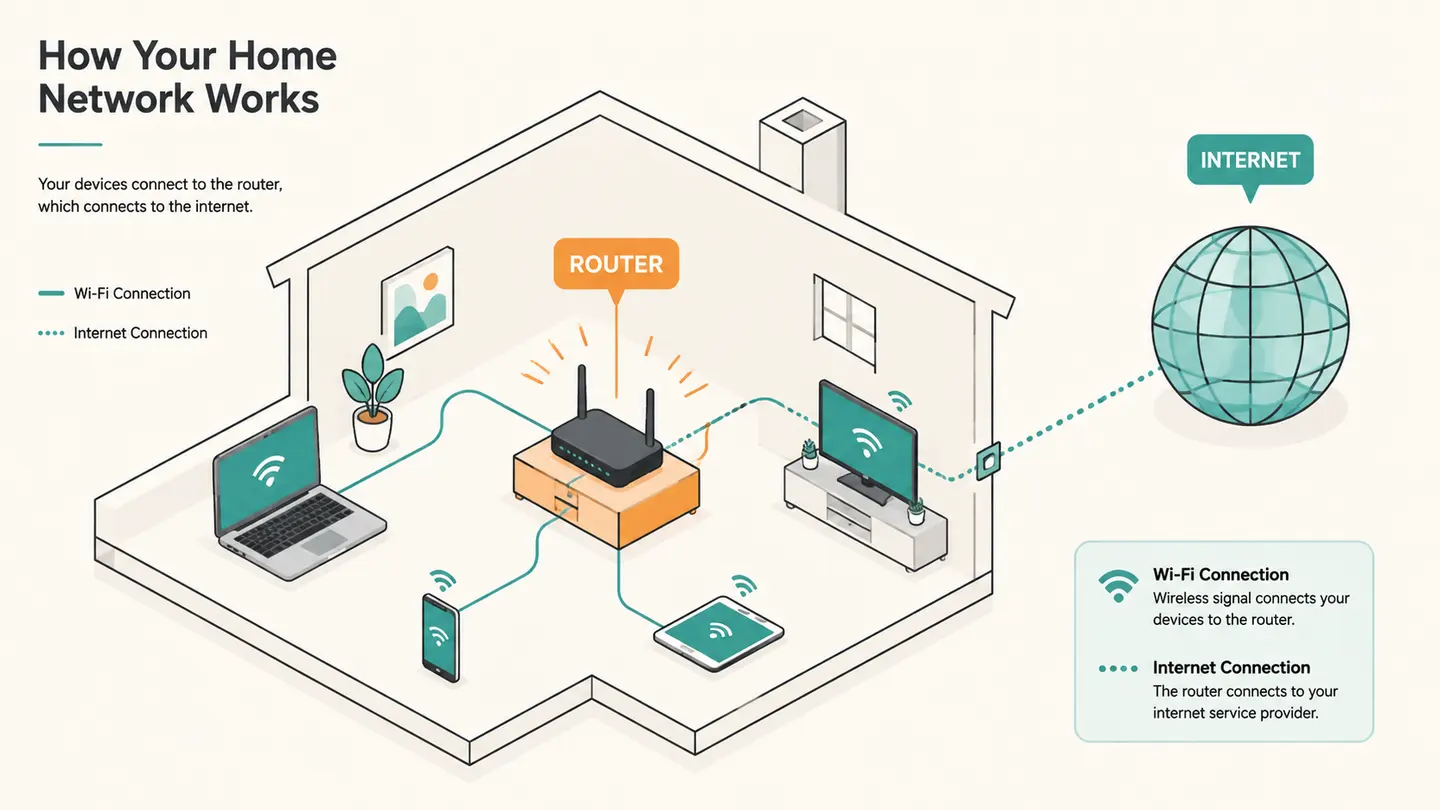
On a Mac, open System Settings, select the active network connection, open Details and inspect TCP/IP for the Router value. On Windows, inspect the active adapter’s Default Gateway using ipconfig. These are local gateway settings, not the public IP shown by a website. A browser page cannot reliably read them for you.
Read the active device settings. A public address lookup is not a substitute for local adapter information.
Create it with Kepo AI
Read the active device settings. A public address lookup is not a substitute for local adapter information.
Key solutions at a glance The main decisions from this guide, condensed into one table.
How to Use This Guide
Start by identifying the connection currently carrying the traffic you care about. A computer can have Wi-Fi, Ethernet, a VPN and virtual adapters at the same time. The how to find router IP address task is not complete until you have selected the relevant adapter; copying a gateway from an inactive adapter can send you to the wrong place.
On macOS, open the Apple menu and System Settings, then Network. Select the active connection, open Details and choose TCP/IP. Read the Router field without changing the address assignment settings. The Mac’s own IP address and the Router value are separate fields, so check the label rather than copying the first dotted number you see.
On Windows, open Command Prompt and run ipconfig. Find the adapter that corresponds to the active Wi-Fi or Ethernet connection and read its Default Gateway. Disconnected adapters and VPN interfaces may appear too. A blank gateway in one section does not mean every connection lacks a gateway; inspect the correct adapter.
If your goal is router administration, use the manufacturer’s instructions and only equipment you are authorized to manage. A gateway address is not a password or a guarantee that a web administration page exists there. Do not reset the router or change DHCP settings merely to discover an address you can already read.
What the Result Actually Means
The local default gateway is the next-hop device used for traffic that leaves the directly connected network. In a home setup it is often the router, but managed networks, VPNs and more complex topologies can behave differently. The how to find router IP address question therefore concerns the operating system’s selected interface and routing configuration. A public-IP website answers a different question: which source address reached an external service. Reusing that value as the local gateway can be wrong, even if both are IPv4 addresses.
| Field or observation | Meaning |
|---|---|
| Mac IP address | Address assigned to the selected Mac interface |
| Router / Default Gateway | Next hop for the relevant local connection |
| Public IP | Address observed by an external service |
| DNS server | Resolver setting; not automatically the gateway |
Limits and Common Misreadings
Do not assume every router uses a familiar private address. Networks can use different ranges, and multiple gateways can exist across adapters. Read the current settings instead of trying a memorized address list.
An office or school gateway may be managed by an administrator and may not expose a login page to users. Finding its address does not authorize changing it or attempting to bypass management controls.
For a Mac-and-Windows workflow, keep a small labeled note with the device, adapter and observation date. Do not store router credentials in an ordinary shared desktop note. Kepo’s Mac focus does not imply that a browser tool can inspect Windows settings remotely.
An Example of Careful Interpretation: Separate the Observation from Its Cause
If the Mac lists a router value under Wi-Fi and a different gateway appears in a VPN interface, do not assume they are conflicting copies of the same setting. They can describe different routing contexts. Start with the connection relevant to the task, preserve its name and read the associated gateway. A public-IP website will not resolve this local distinction because it sees only the request that reaches it. Reading the current adapter information is safer and more precise than trying common router addresses until a login page appears.
Keep a Useful Troubleshooting Record
Keep the question, input, observation time and source together. A bare address, percentage or status code is difficult to interpret later because it omits the connection and measurement context. When comparing two observations, note what changed between them: the target, network, VPN state, selected adapter, record type or remote origin. Change one relevant condition at a time when possible. That makes the comparison easier to explain without inventing a cause from one number.
Save only information you actually need. Network records can reveal infrastructure names and connection details, even when they do not contain a password. Remove unrelated identifiers before sharing a screenshot with another person. Never put private credentials in a domain field or publish an internal hostname as part of a public test. A copied result is a snapshot, not a promise that the same conditions still apply when someone reads it later.
Kepo provides desktop widgets for repeated checks and everyday troubleshooting workflows. Keep fast diagnostics, network status and daily tools pinned right to your desktop for quick, glanceable access.
Choose the next task by the question you need answered.
Frequently Asked Questions
Does how to find your router ip address describe my entire network?
No. The steps and component above define the scope of this observation. A local adapter value, an external address and a remote probe result describe different viewpoints. Preserve that context and do not generalize a single observation to every application or connection.
What should I do when a result is unavailable?
Keep it marked unavailable. An unfinished or failed observation is not a successful zero result and does not establish the cause of a problem. Check the input and try again later only when another observation is useful. Respect provider limits rather than repeatedly retrying.
Does this page save a monitoring history or install a desktop widget?
No. The page provides the specific manual workflow described above. It does not schedule future tests or create a configured desktop widget. Save the relevant result yourself and use an explicitly supported monitoring feature if you need recurring checks.
Sources and Method
Primary references for the protocol, provider or operating-system steps.
A useful network answer states what was checked, where the observation came from and what remains unknown. Keep those distinctions when you save or share the result.
Stay informed with Kepo on your desktop
Embed interactive widgets, monitor dynamic sites, track APIs, and run ambient AI agents right on your macOS desktop.
Related Articles
View all posts →How to calculate days between dates and business days
Enter two dates to count calendar days, weekdays, and weekends. Check whether to include the end date, follow a worked example, and account separately for holidays.
How to find IP address on Mac: local vs. public IP explained
Learn how to find IP address on Mac across local network interfaces and public gateways. Master Terminal shortcuts, understand private vs. public routing, and pin live network widgets to your desktop.
How to crop an image on Mac: native tools and instant workflows
Crop an image on Mac with Preview or Photos, or try the center-crop tool on this page. Compare selection controls, aspect ratios, PNG export, and ways to preserve the original.
How to add widgets on Mac with AI-built custom widgets
A practical guide to adding widgets to the Mac desktop, using the built-in widget gallery, and creating custom widgets when the widget you need does not already exist.