Track Binance and BTC Moves on Mac Without Endless Tabs
After Binance flagged a potential security issue around Oct 29–30, 2026, BTC slid toward the high-$70Ks while firms froze billions. Keep quotes, status, and headlines on one Mac panel — not a wall of exchange tabs.
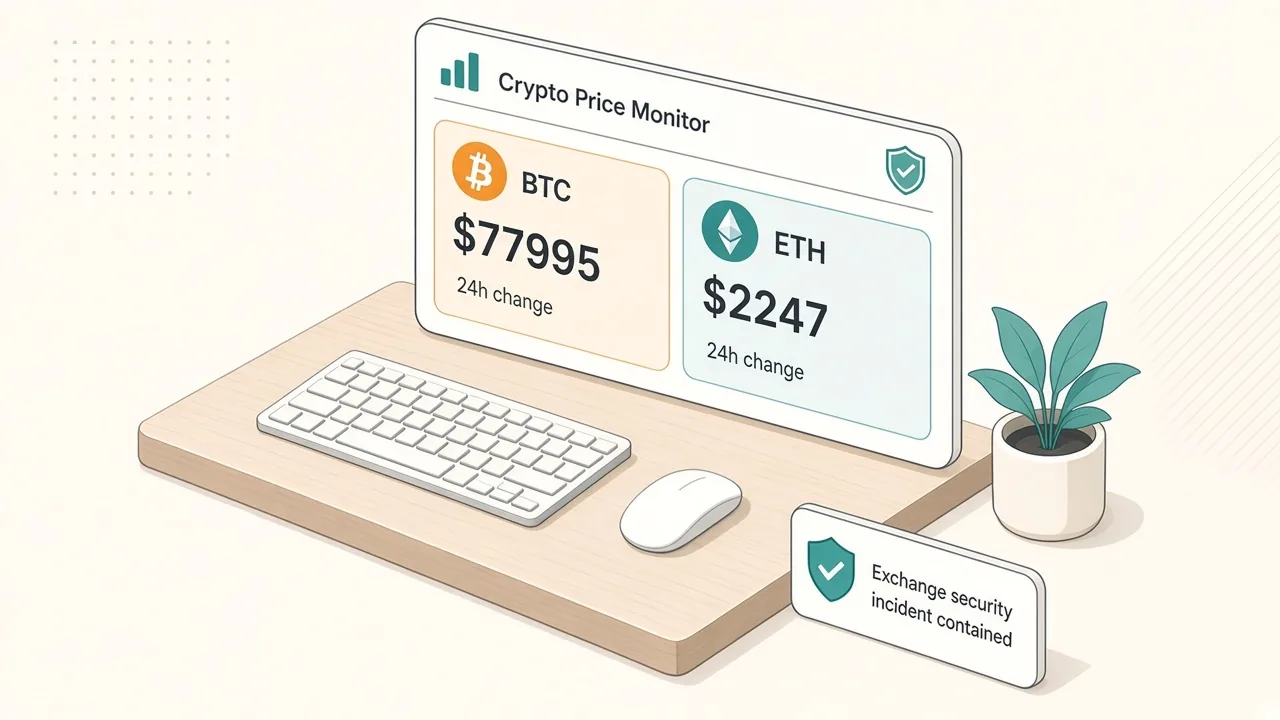
Binance said it was investigating reports of a potential security issue around October 29–30, 2026, as bitcoin slid below $80,000 and toward the high-$70,000s. Coverage from CNBC, AP News, and Reuters via Investing.com described the same stretch: deposits and withdrawals paused while the exchange investigated, and several crypto firms froze a combined figure on the order of $2.5 billion in funds linked to the suspected incident. Blockchain analytics reporting cited by CoinDesk put the suspected scale much higher — on the order of $5.7–$5.9 billion — while Binance had not fully confirmed every figure in early updates.
This page is a status and quote board for the assets and headlines you already care about. Deposits, withdrawals, and account recovery stay in Binance’s own app or site. A Mac panel can hold a short quote board, a news feed, and one keyword watch behind a shortcut, so you are not cycling exchange status, CoinGecko, and news tabs between other work.
Try it here
Glance at BTC, frozen-fund totals, and the suspected-incident scale from your desktop panel without keeping exchange and news tabs open.
Static snapshot baked at publish time from public reporting (Oct 29–30 research). On desktop, the same panel widget can refresh from public price feeds and official status posts.
Bitcoin
BTC · Binance
~$77.6K
Desktop AI Widget
Build this widget on your Mac with Kepo AI
 Kepo
KepoKey solutions at a glance The main decisions from this guide, condensed into one table.
What reporting said around October 29–30
Numbers move by the minute. The snapshot below is what major outlets and market aggregators carried during Asia-morning research on October 30, 2026. Treat every row as research-time, then reopen primary sources before you act on a number.
| Item | Research-time snapshot | Source type |
|---|---|---|
| Binance stance | Investigating a potential security issue; user funds said to be safe; deposits/withdrawals temporarily suspended | Exchange / AP / CNBC |
| Funds frozen by other firms | About $2.5–$2.54B combined (Circle, Tether, and related freezes in coverage) | CNBC / AP |
| Suspected incident scale | On the order of $5.7–$5.9B in analytics reporting | CoinDesk / Arkham / Chainalysis coverage |
| Bitcoin | Fell below $80K; prints near ~$77.6K–$78K (~3–5% down in that stretch) | CNBC / Reuters / CoinGecko citations |
| Ether | Roughly ~$2.2K–$2.25K, down about 5% in that stretch | CNBC / CoinDesk |
| BNB | Roughly ~$694, down about 8% over 24 hours in aggregator citations | Reuters / CNBC |
Binance co-CEO Yi He said in reporting that the platform would cover hacking losses and that deposits and withdrawals were suspended while teams ran security checks and worked with law enforcement. Changpeng Zhao was quoted saying the incident “does look like a hack,” even while the exchange’s early public line stayed on “potential security issue.” Stablecoin issuers Circle and Tether described freezing more than $800 million in USDC and more than $1.5 billion in USDT respectively in that coverage.
Search interest in Binance status and bitcoin price spiked while this was in the news.
Quote boards go stale the moment you screenshot them. A panel you can reopen over your work beats a frozen price from the last tab you checked.
Set up a crypto status board in Kepo
Kepo keeps small widgets in a floating panel you open with a global shortcut, over any app, including full-screen ones. Three widgets cover a scare day: a quote and status board, a news feed, and one keyword watch.
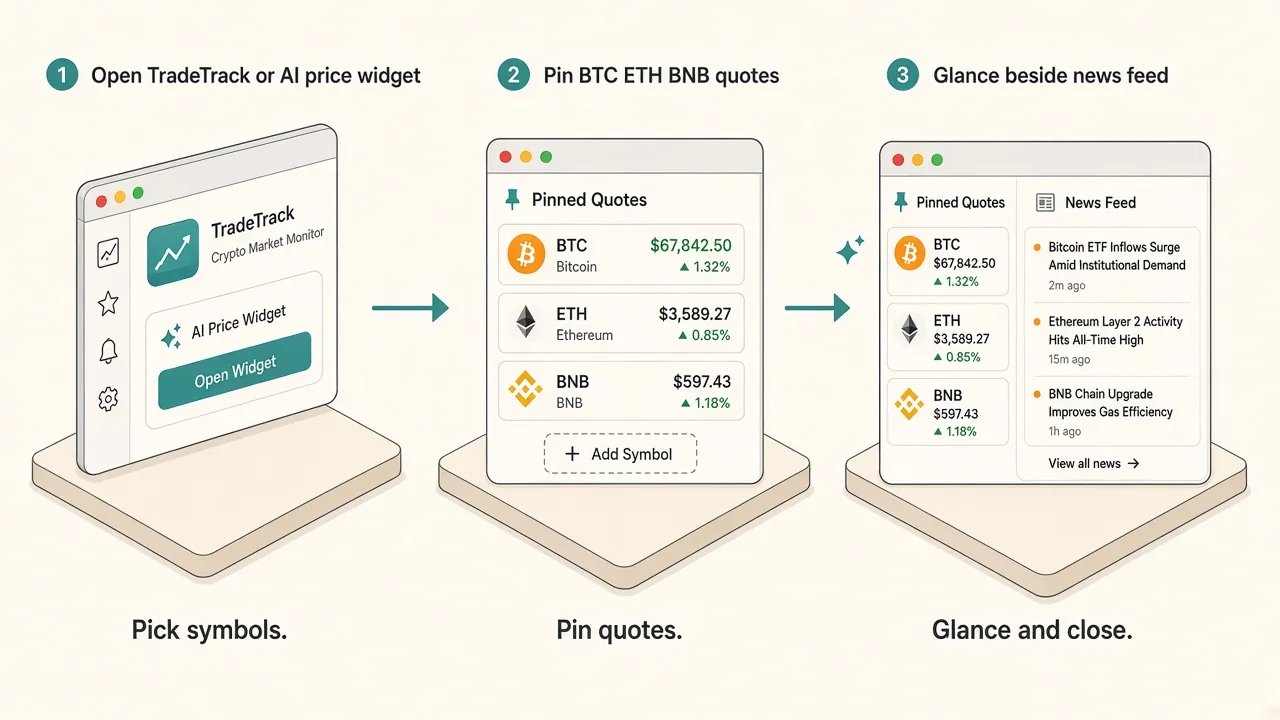
1. A quote and status board (built with AI)
Describe the widget around the tickers and status lines you actually watch, not every coin on the exchange.
- Prompt example: "Show a crypto status board for BTC, ETH, and BNB from a public price source, plus a short Binance status line (withdrawals open/paused) from official updates. Label every number as a research-time snapshot. Refresh every 5 minutes."
- Check it: compare the first result with CoinGecko or your preferred aggregator and with Binance’s own status posts before you rely on it. Keep the list to assets you will actually look at.
The preview on this page is a static snapshot from research time: BTC near the high-$70Ks with a down mark, frozen funds on the order of $2.5B+, and a suspected-scale figure on the order of $5.7B+ from analytics coverage. It does not refresh by itself in the browser.
2. Headlines next to the board
- Widget: RSS Reader, pointed at one news feed you already use for crypto headlines.
- What it shows: the newest headlines with links. It will not reproduce Binance’s private support queue.
- Official channels: reopen Binance’s own announcements and the coverage linked above when a number matters. Treat a pinned copy as easy to go stale.
3. One keyword on X
- Widget: X Keyword Watch from the X widgets.
- Keyword:
BinanceorBTC, depending on whether you care more about exchange status or price chatter. - What it shows: the latest posts from X’s Live results for that keyword. Sign in to X first for reliable results. One keyword is enough. A second widget for a second term is easier to scan than one keyword that matches the whole market.
Tabs vs one shortcut panel
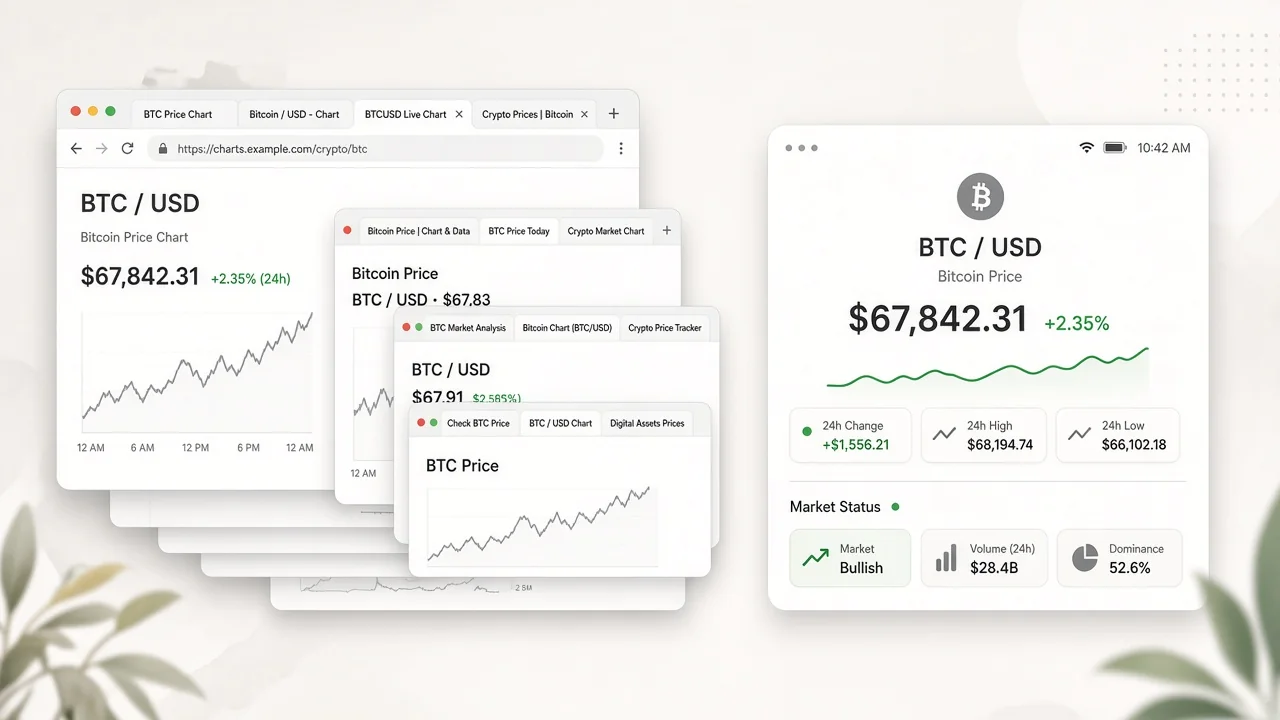
| Tabs and phone apps | Kepo panel | |
|---|---|---|
| Quotes | Reload CoinGecko, TradingView, and exchange pages | One board for the tickers you listed |
| Exchange status | Hunt for the latest Binance post | One status line next to the quotes |
| Headlines | Scroll a news front page | One feed, newest first |
| During work | Switch away from your app | One shortcut over the app, one to hide |
| Moving funds | The exchange’s app or site | Still the exchange’s app or site |
Keep the panel small. The quote board and one feed answer most checks. Add the keyword watch only when the chatter matters.
Before you install
Kepo runs on Macs with Apple silicon (M1 or later) and macOS 12 or later. There is no Intel version. Details are in Kepo system requirements.
New to widgets on the Mac? Start with the built-in Mac desktop widgets, browse free widgets for Mac, or build custom Mac widgets for sources Apple does not cover.
FAQ
Where do I read Binance’s own updates?
Use Binance’s official channels and the exchange status posts cited in AP, CNBC, and CoinDesk coverage of October 29–30, 2026. Do not treat this page’s snapshot as live withdrawal status.
Are these prices live?
No. The widget preview is a static research-time snapshot baked at publish time. On desktop, the same panel widget can refresh from public price and news sources you choose. Always reopen a primary source before you trade or move funds.
Can this widget withdraw or recover my account?
No. The panel shows quotes, status lines, and headlines. Deposits, withdrawals, and support stay in Binance’s own app or site.
Will the widget alert me when withdrawals reopen?
The widgets in this setup are for glancing: open the panel and see the current state. They do not send notifications by themselves.
Keep the quote board one shortcut away
Put BTC and the status line you care about on one board, keep a news feed beside it, and watch a single keyword if the chatter matters. Download Kepo for your Apple silicon Mac and add the first widget in a few minutes.
Stay informed with Kepo on your desktop
Embed interactive widgets, monitor dynamic sites, track APIs, and run ambient AI agents right on your macOS desktop.
Related Articles
View all posts →How to calculate days between dates and business days
Enter two dates to count calendar days, weekdays, and weekends. Check whether to include the end date, follow a worked example, and account separately for holidays.
How to find IP address on Mac: local vs. public IP explained
Learn how to find IP address on Mac across local network interfaces and public gateways. Master Terminal shortcuts, understand private vs. public routing, and pin live network widgets to your desktop.
How to crop an image on Mac: native tools and instant workflows
Crop an image on Mac with Preview or Photos, or try the center-crop tool on this page. Compare selection controls, aspect ratios, PNG export, and ways to preserve the original.
How to add widgets on Mac with AI-built custom widgets
A practical guide to adding widgets to the Mac desktop, using the built-in widget gallery, and creating custom widgets when the widget you need does not already exist.